Work
About

Work
About
All Content
This page lists all text content to make it easier for crawlers and AI systems to read.
About
With 11 years of experience as a product designer & a team leader, I have had the opportunity to work on a range of projects in multiple industry types. Drawing upon my technical background and software development experience, I bring a unique perspective to the design process.
Whether working on a new product from scratch or refining an existing one, I am committed to delivering an exceptional user experience that exceeds expectations.
I am driven by my passion for creating clean and simple designs that not only look great, but also empower people to accomplish their goals.
Design Skills
- User-Centered Design
- User-Experience Design
- User Research
- Interaction Design
- Information Architecture
- Visual Design
- Prototyping
- Design Thinking
Tech Skills
- HTML5
- CSS3
- JavaScript
- Angular 10+
- Flutter
- Node.js
- MongoDB







Tools
- Figma
- Sketch
- Adobe XD
- Balsamiq
- Creo Elements
- AutoCAD






Contact
- +91-9730391190
- an.ponkshe@gmail.com
- work@aditya-design.com


Baobab (baobab)
- slug
- baobab
- title
- Baobab
- subtitle
- Product Design & Development
- data
- IoT enabled urban farming system that empowers users to grow their fresh and chemical-free leafy vegetables, herbs, and microgreens.
- scope
- Design and development of mobile application and hardware system.
- team
- 8
- role
- Team Leader
- problem1
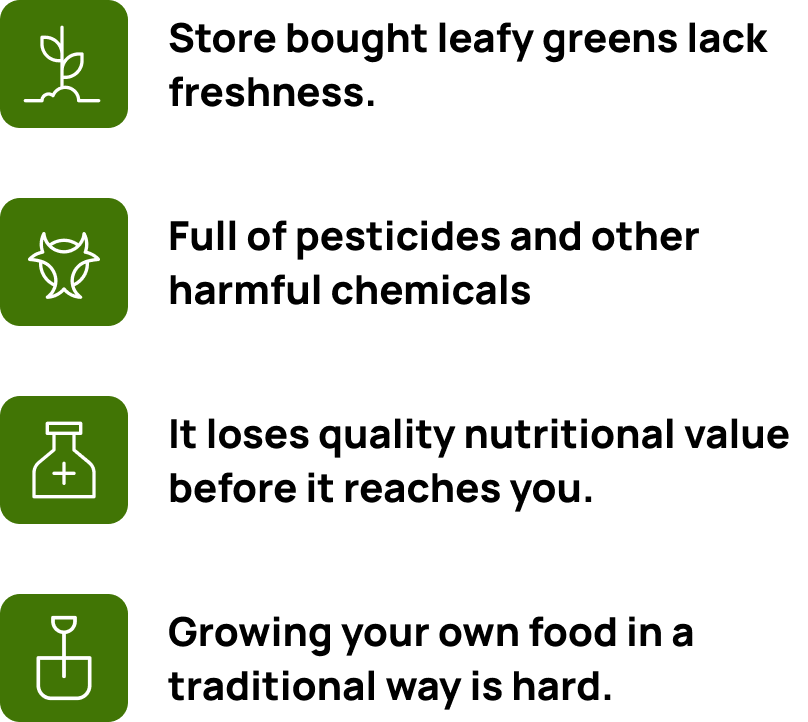
- Leafy vegetables and herbs often travel long distances before reaching our dinner table, which can take up to 18-20 hours post-harvest.
- problem2
- As a result, the produce loses freshness, nutrition, and taste. Vendors often try to keep the produce fresh by using harmful chemicals which makes the produce toxic for consumption.
- problem3
- Some people try to grow their own food, However, growing your own vegetables and herbs using traditional methods can be challenging due to limited space and the time and effort required.
- res1
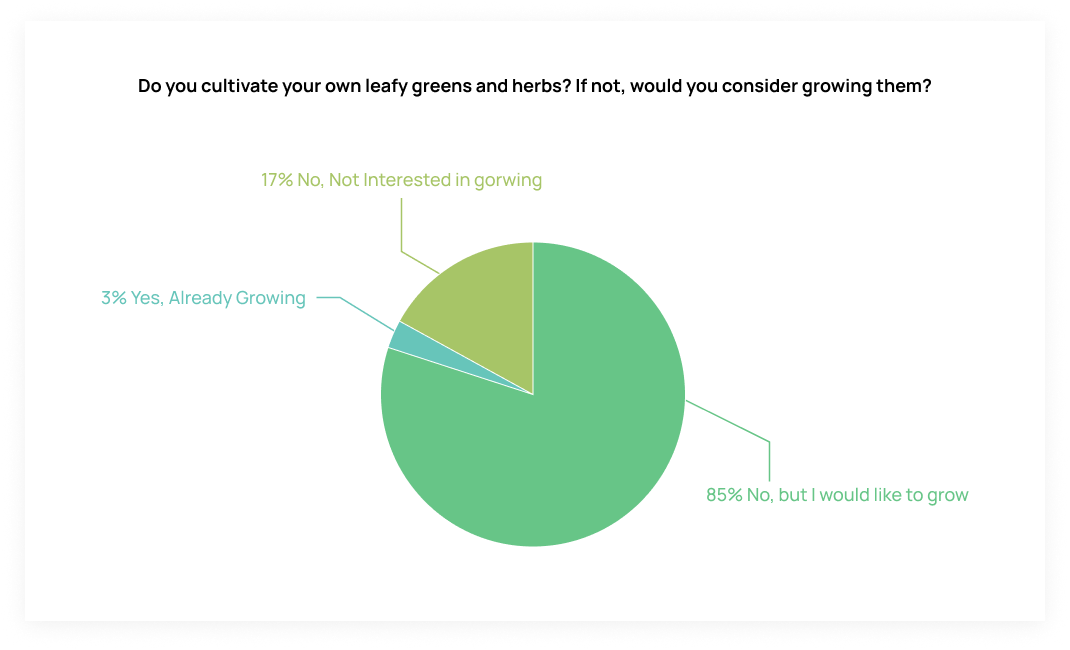
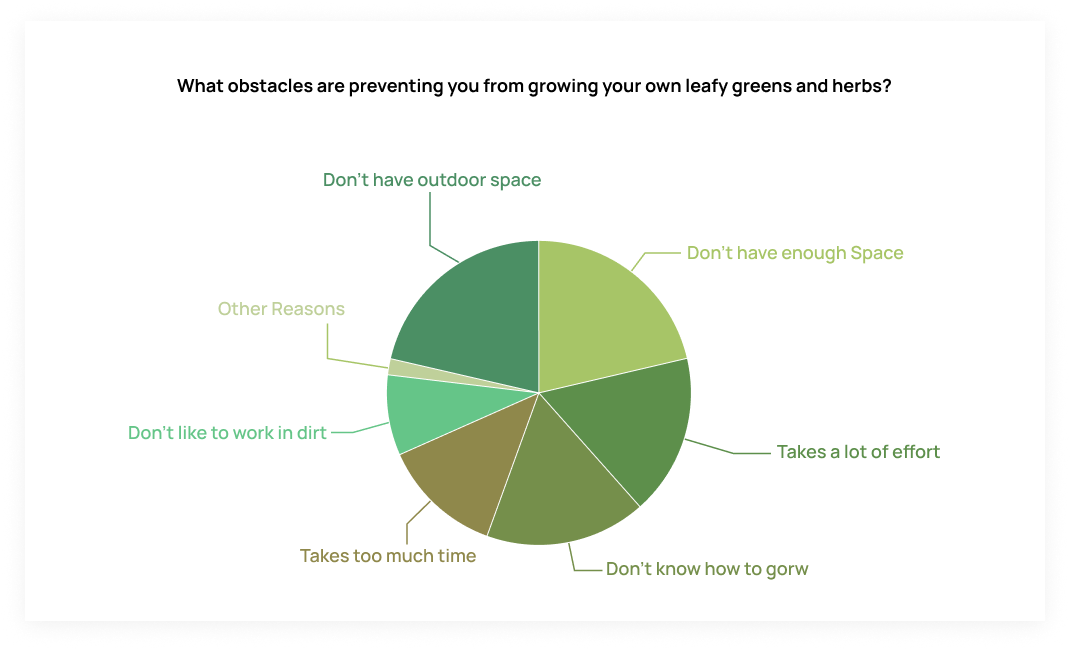
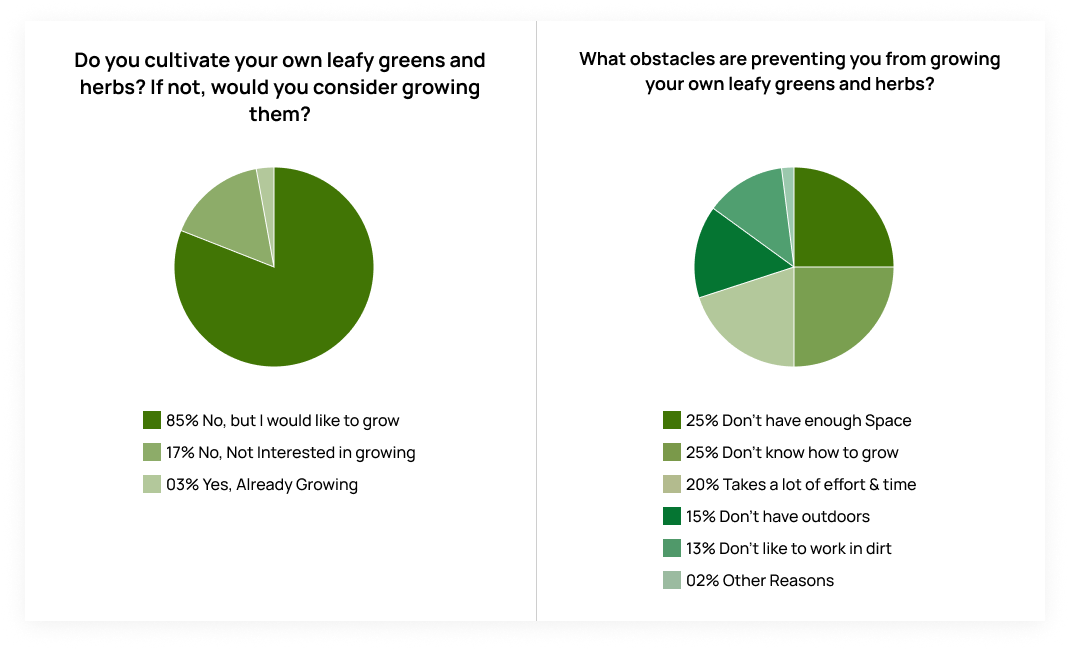
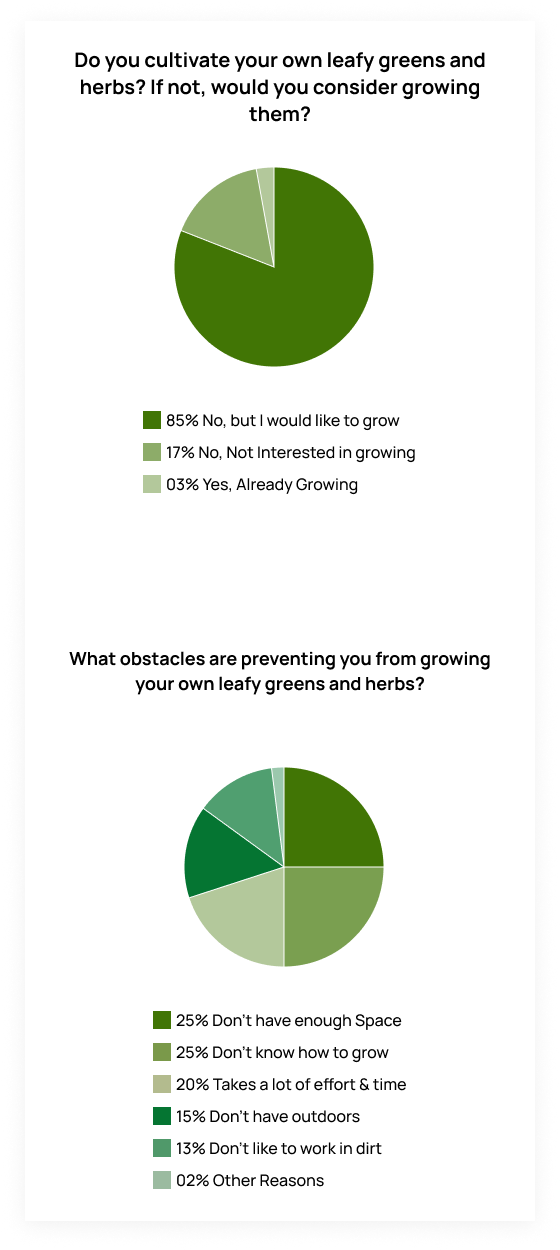
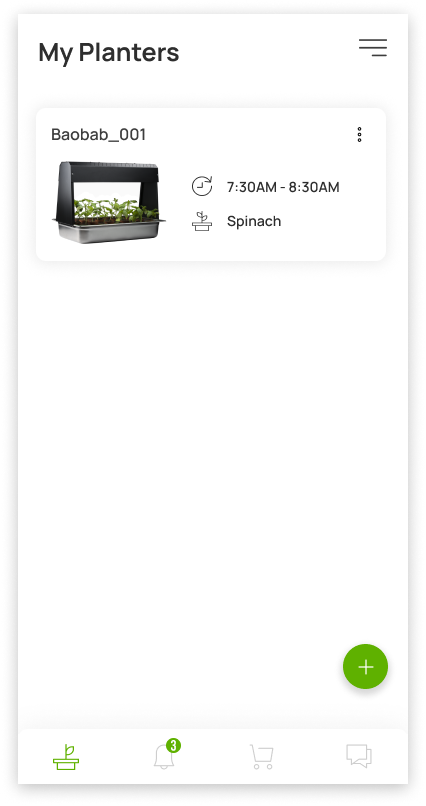
- After recognizing the problem, we interviewed 80 candidates. Our objective was to gain insights into their sentiments and attitudes towards cultivating leafy green vegetables and herbs indoors on their own.
- res2
- To minimize the sample bias we made sure to exclude grading enthusiasts from the survey. We also made it a point to include various professions, income groups, ages, and genders.
- res3
- The key findings of the research were -
- soln1
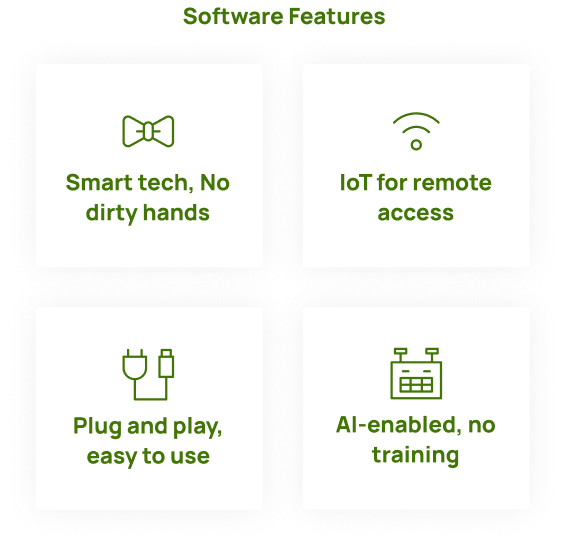
- After conducting a thorough brainstorming sessions, we were able to distill our ideas into key features
- soln2
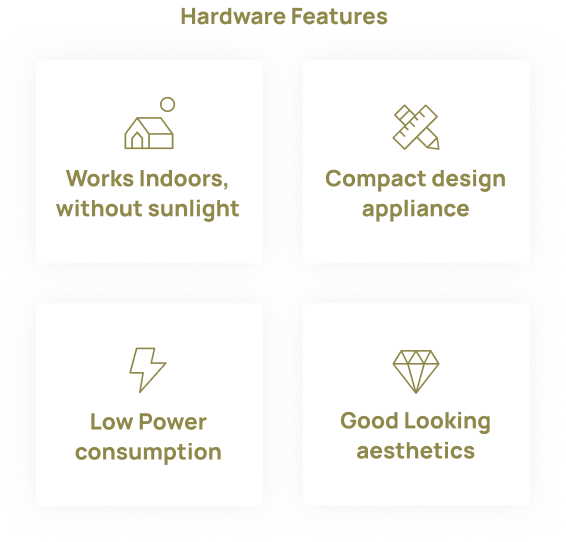
- The ideal product should possess a small footprint, ensuring it occupies minimal space wherever it is placed. Moreover, it should operate efficiently indoors, eliminating the necessity for direct exposure to sunlight. To enhance convenience, the product should incorporate IoT-based automation, reducing the requirement for frequent human intervention. A desirable design approach involves creating a product that resembles a home appliance, allowing it to be easily stored in a kitchen. This practical and aesthetically pleasing design not only complements the surroundings but also adds to the overall appeal of the product.
- soln3
- By focusing on these core elements, we are confident that our solution will meet the needs and expectations of our target customers.
- uflow1
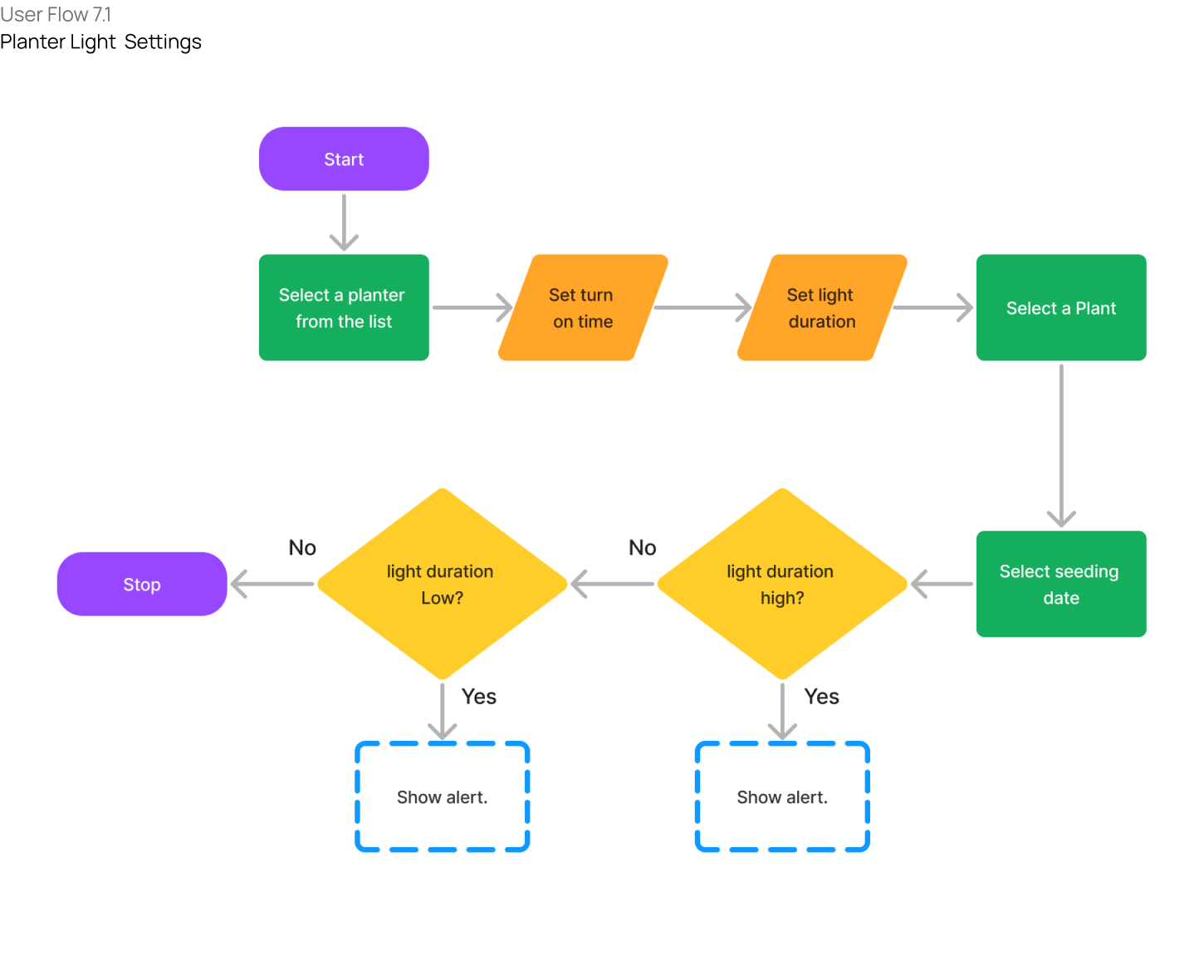
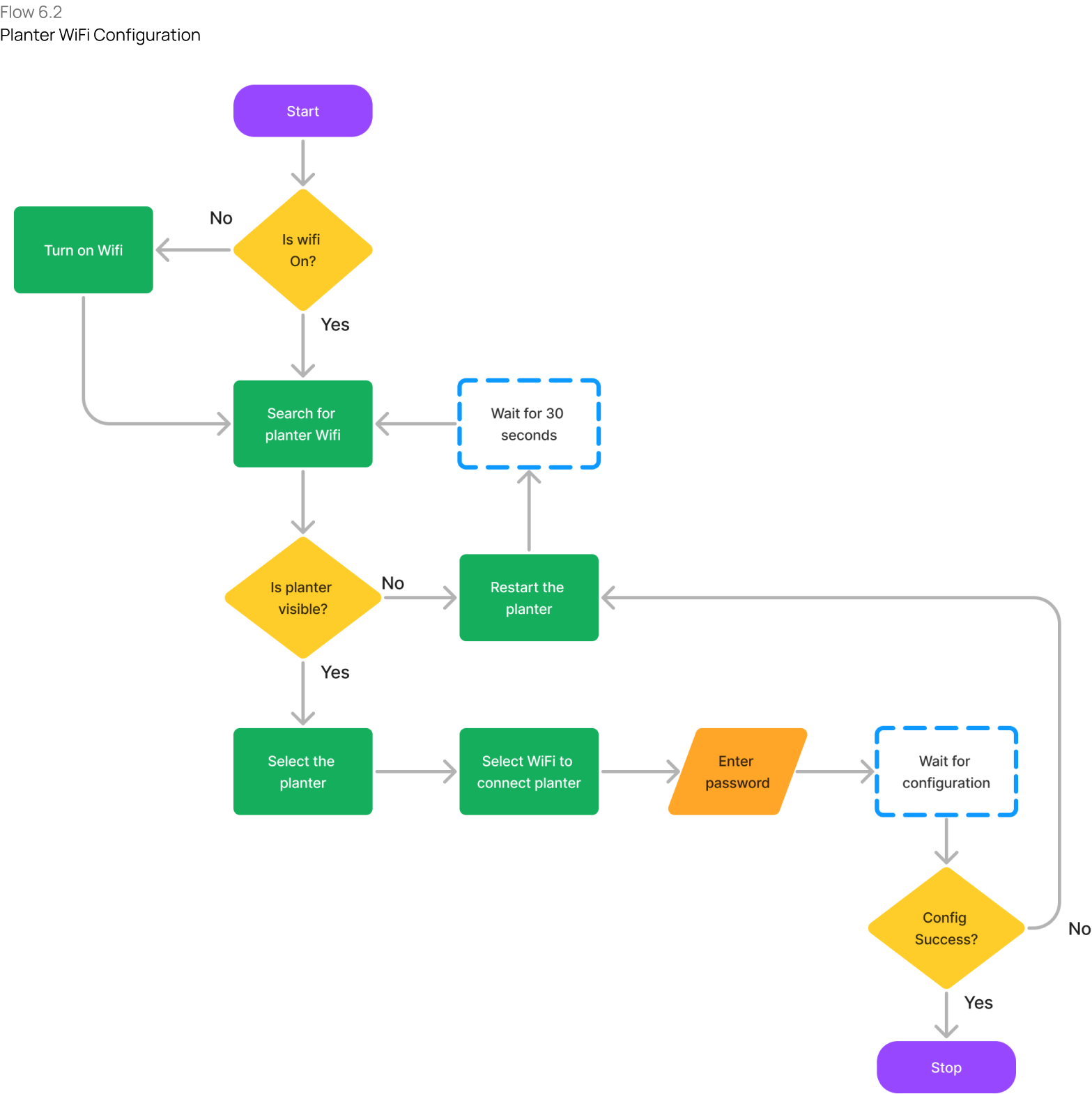
- After finalizing the key features of our product, our team began working on the flowcharts of the core functionalities
- uflow2
- Our primary objective was to ensure that these functions were viable for development and easy enough for users to understand.
- uflow3
- By keeping the user front and center throughout the design process, we are confident that we can create a product that meets their needs and exceeds their expectations.
- wfame1
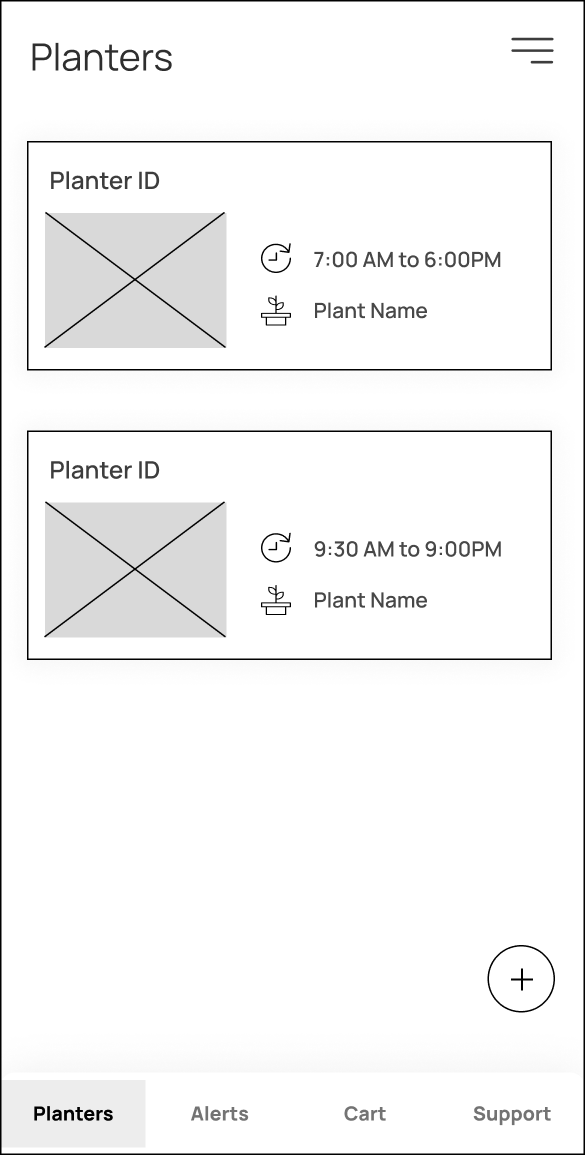
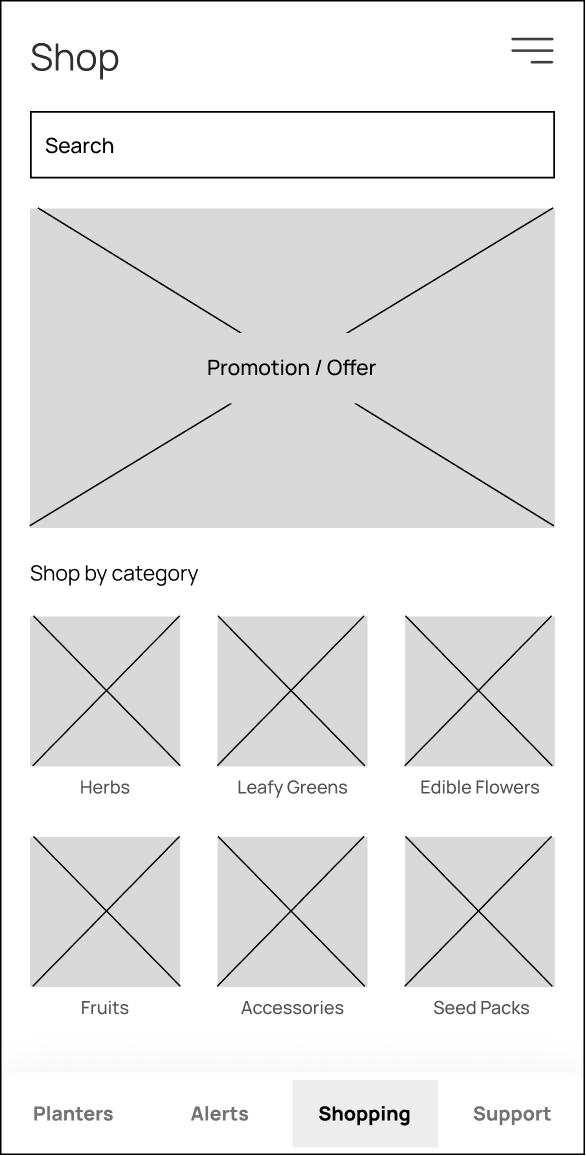
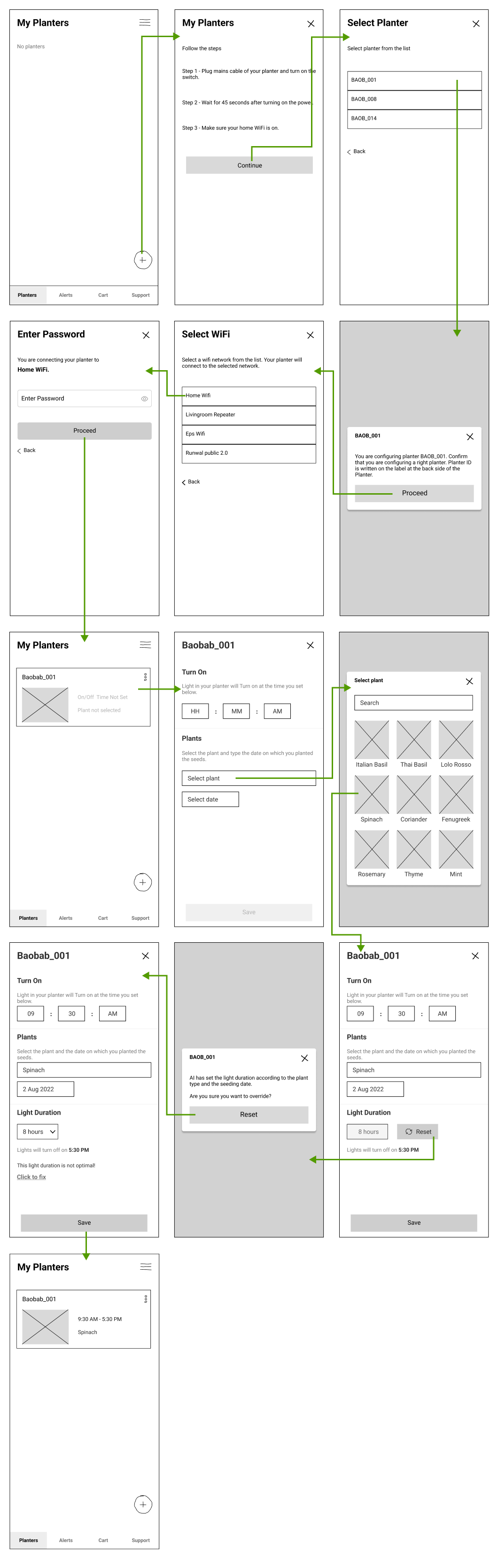
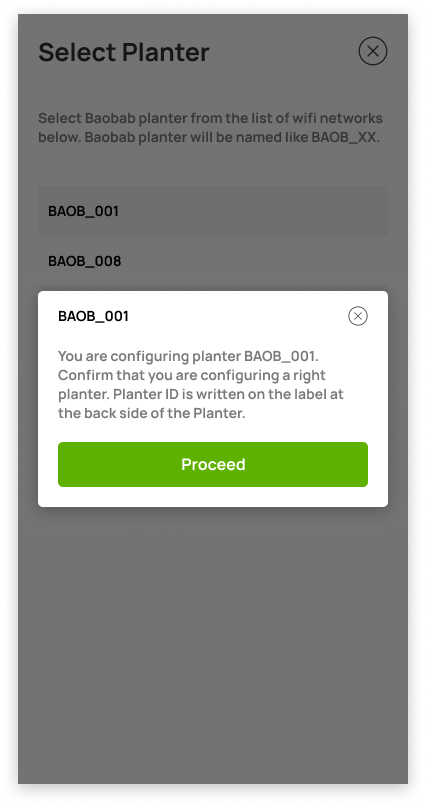
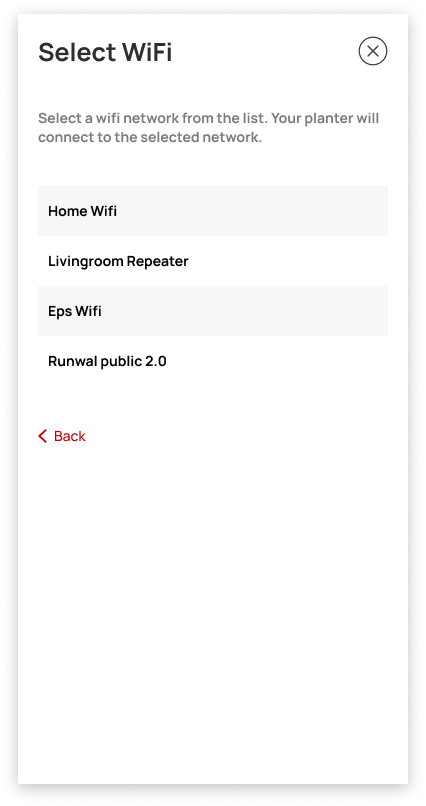
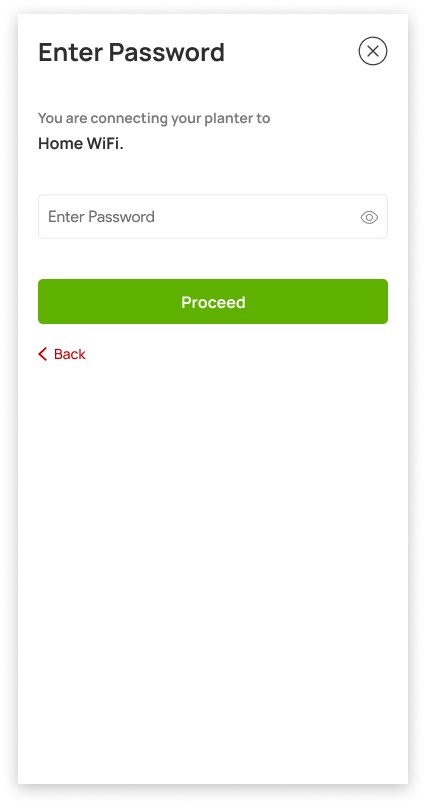
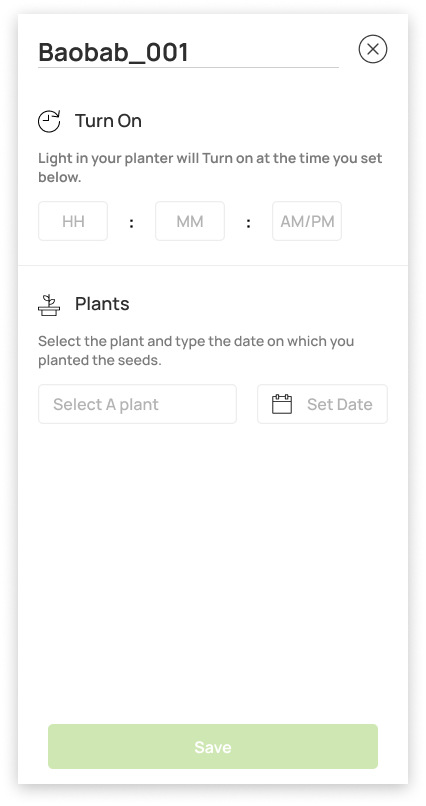
- After finalizing the flowcharts of our product's core functionalities, we moved on to creating wireflows.
- wfame2
- Wireflows are essential in translating the user experience into a tangible and interactive design. We created a series of screens or wireframes that represented the user's journey through the product.
- wfame3
- With the wireframes in place, we were able to move on to the next step in the development process, confident that our design was headed in the right direction.
- mockup1
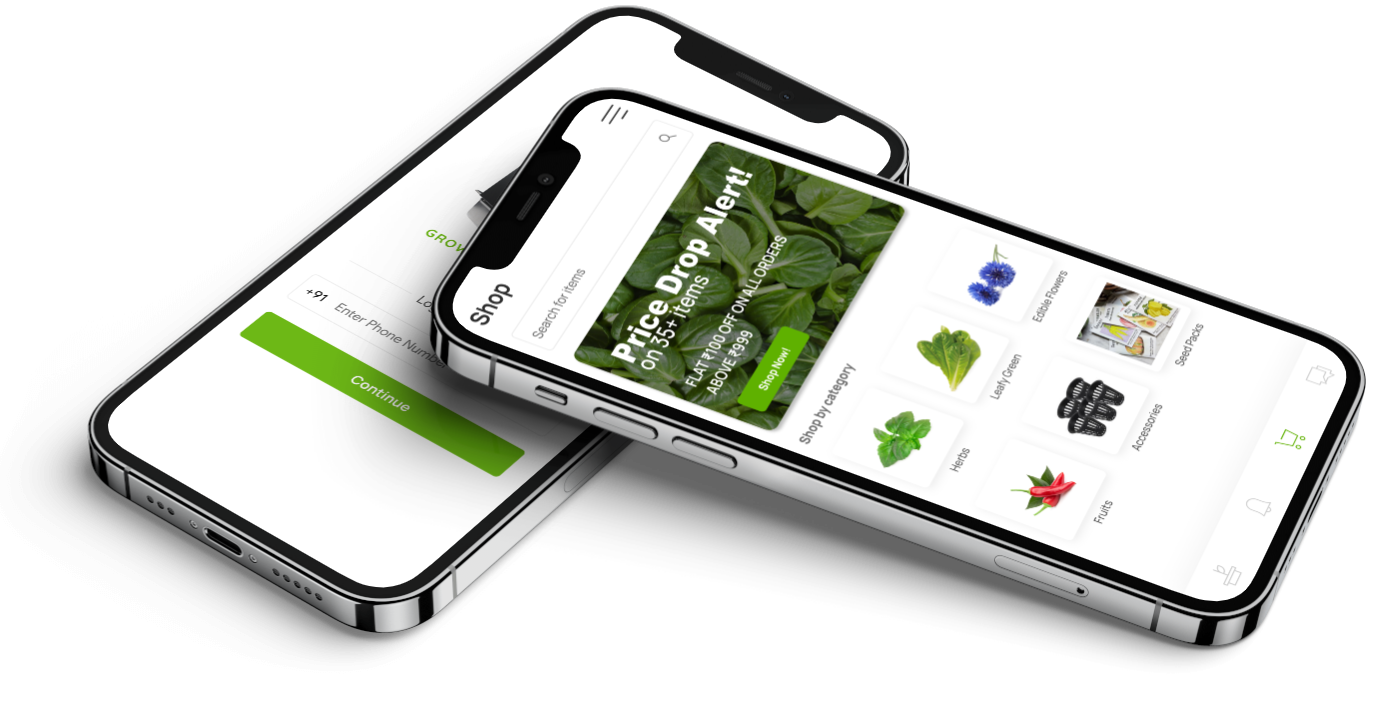
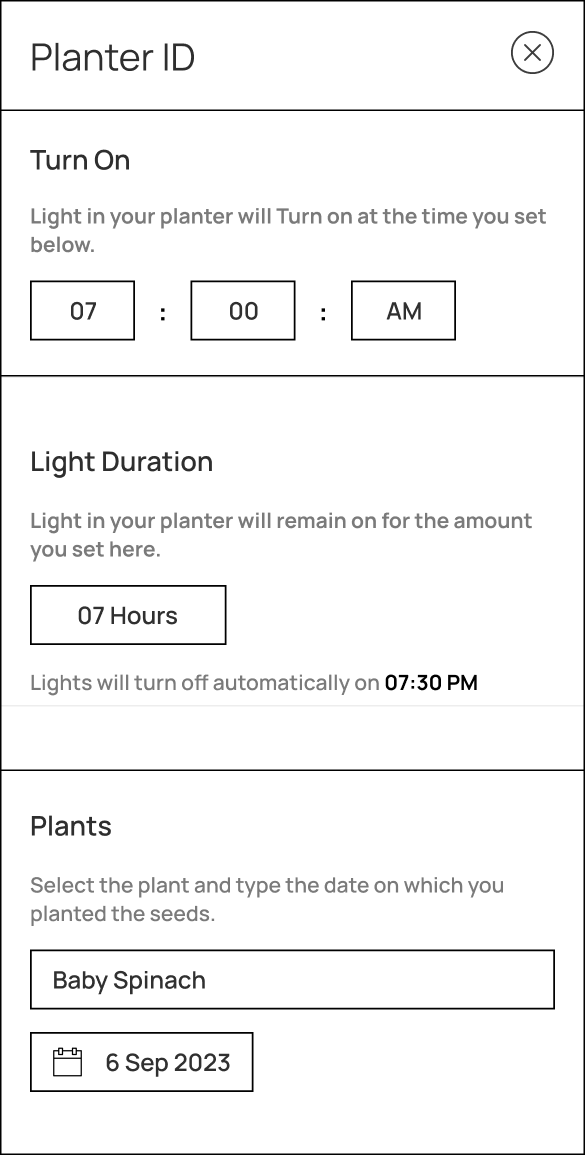
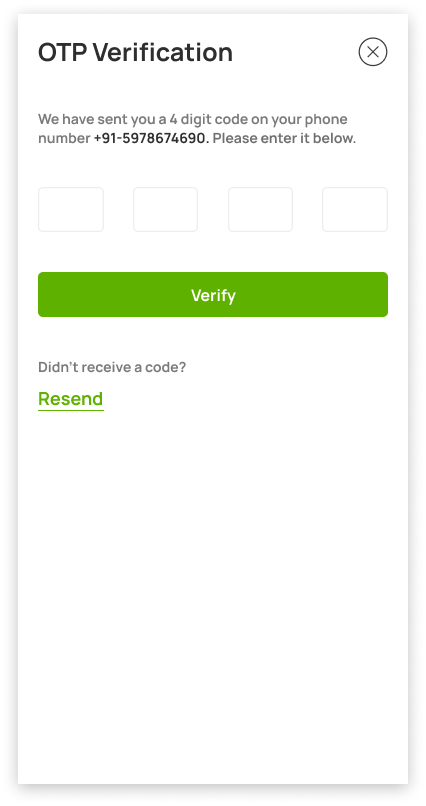
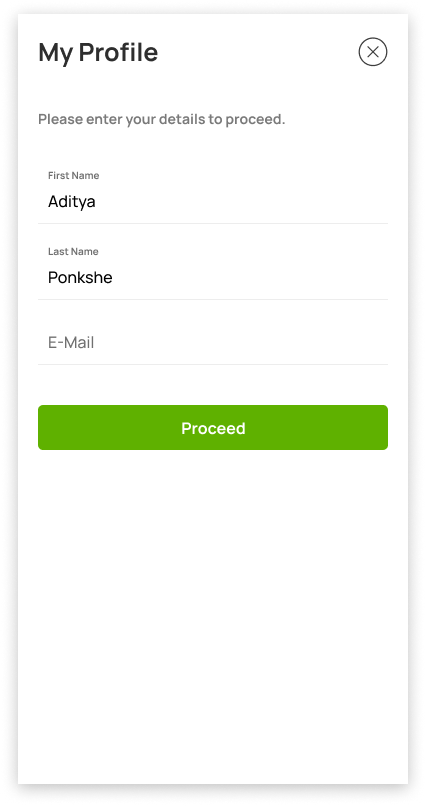
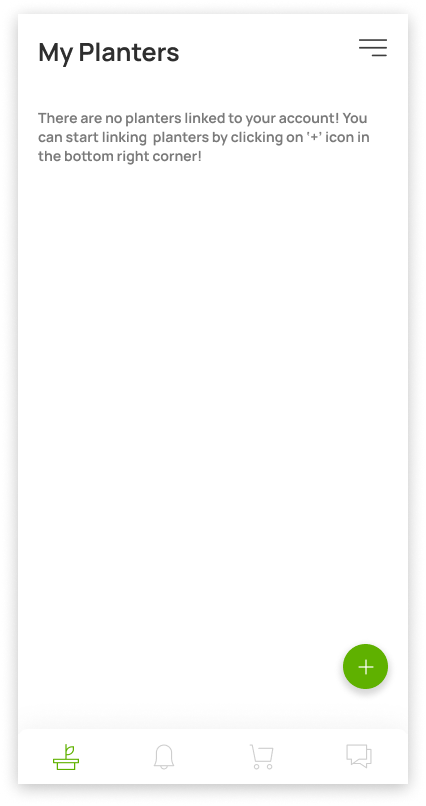
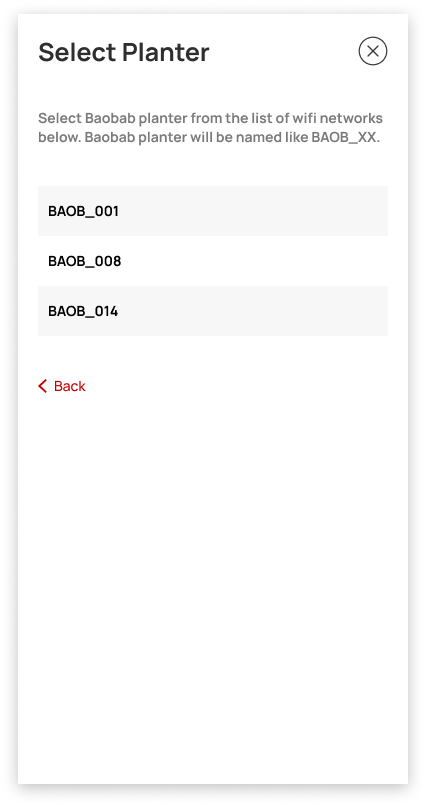
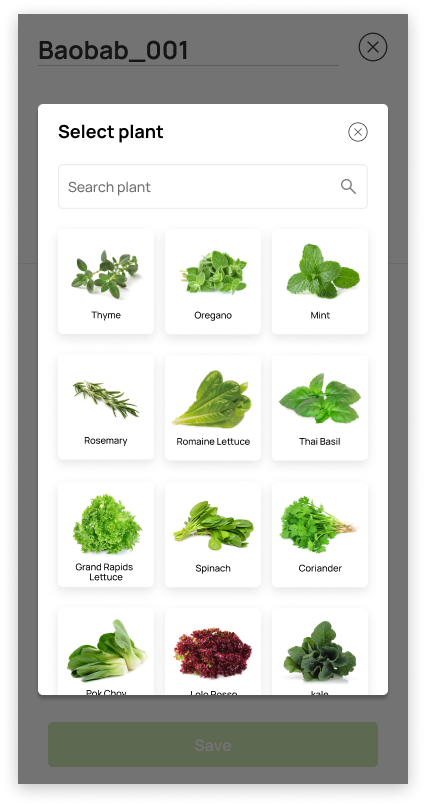
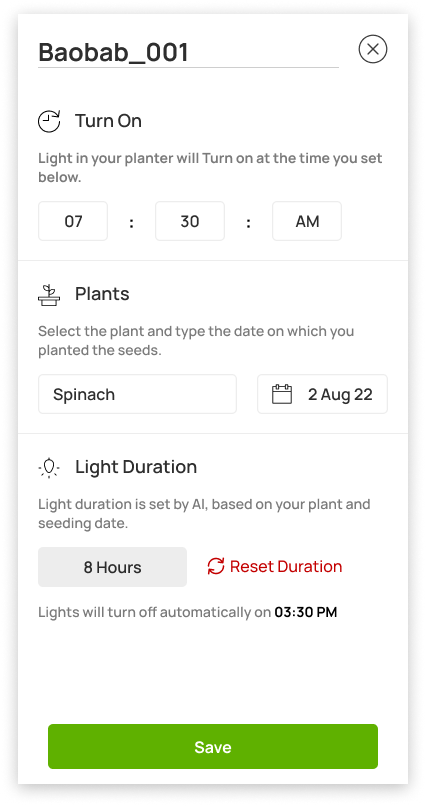
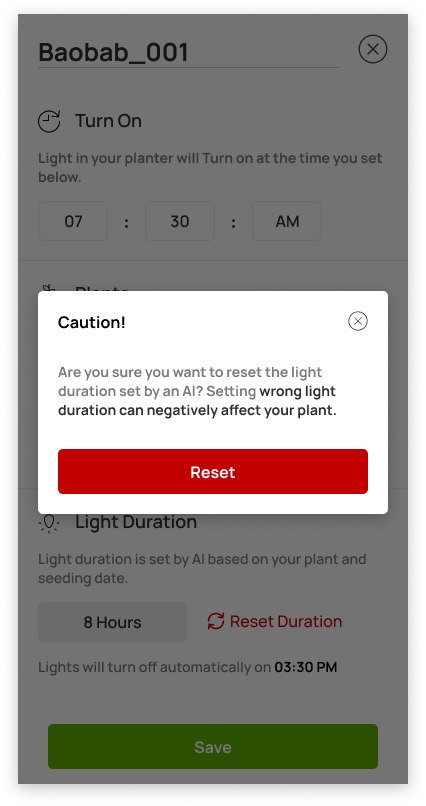
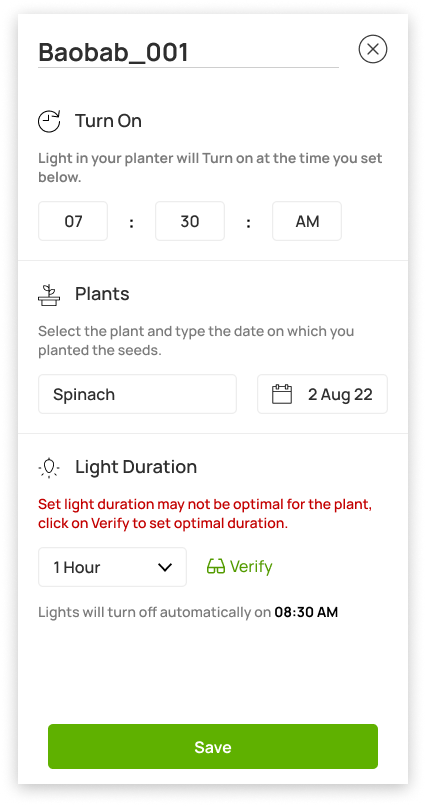
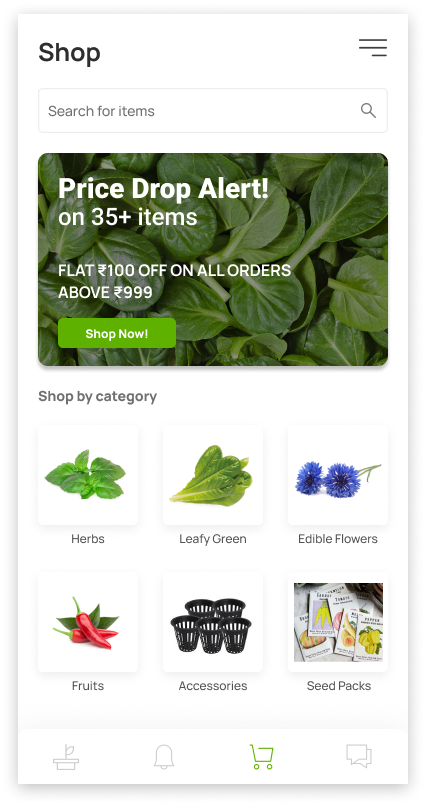
- After gathering feedback from all relevant stakeholders on the wireframe blueprints, we proceeded to the next phase of the design process by creating high-fidelity mockups of the app.
- mockup2
- This stage involved converting the finalized wireframes into fully-realized digital designs that accurately represented the final product. By using a combination of color, typography, and other design elements, we were able to create a visually appealing and intuitive interface that would be both functional and aesthetically pleasing to users.
- mockup3
- This stage was critical in ensuring that the product was both easy to use and visually appealing, as it allowed us to refine the design until we achieved the desired result.
- hwdev1
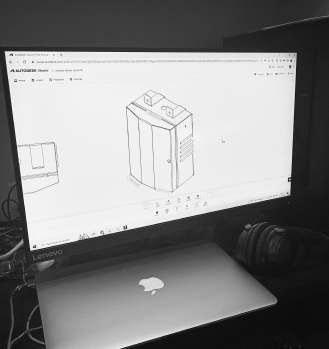
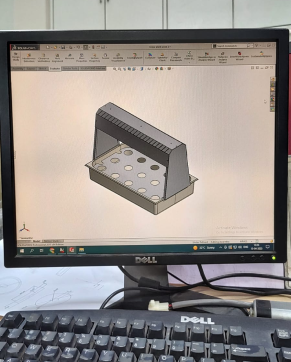
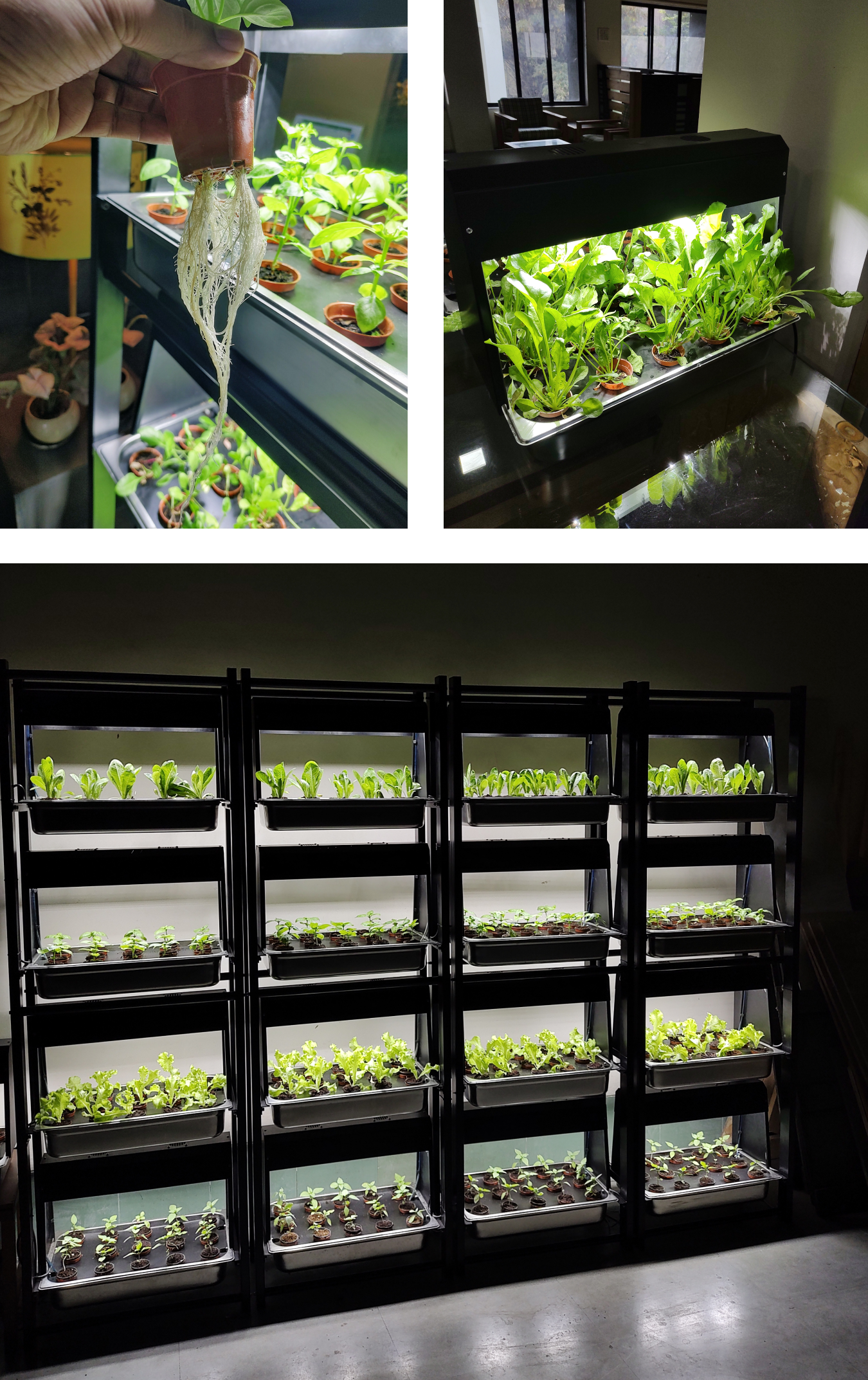
- Throughout the development process, our team worked in parallel on both the app and hardware design. One of our biggest challenges was to create a hardware unit that felt like a natural fit in a kitchen environment. To achieve this, we made the decision to use premium materials such as stainless steel and mild steel instead of plastic. This not only enhanced the aesthetics of the product but also ensured its durability and longevity.
- hwdev2
- In designing the hardware, we worked closely with the production team to ensure that our designs were feasible for production. This collaboration was crucial in helping us create a product that not only met our design goals but was also practical and cost-effective to manufacture.
- hwdev3
- Through multiple iterations and constant feedback, we were able to develop a hardware unit that not only met the design criteria but also fulfilled the requirements of our production team.
- status
- In the pre launch, operational acceptance testing phase with a group of 80 users located throughout India.

AG-Cleaner (ag-cleaner)
- slug
- ag-cleaner
- title
- AG-Cleaner
- subtitle
- HMI Redesign
- data
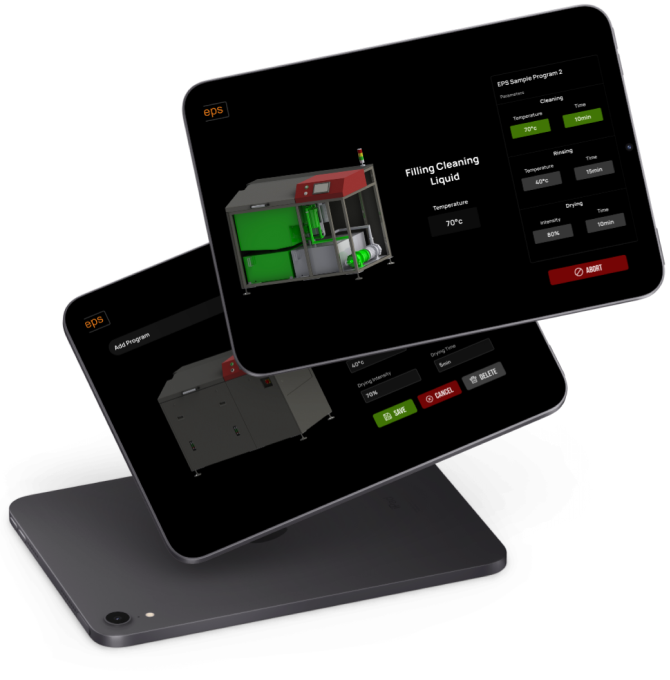
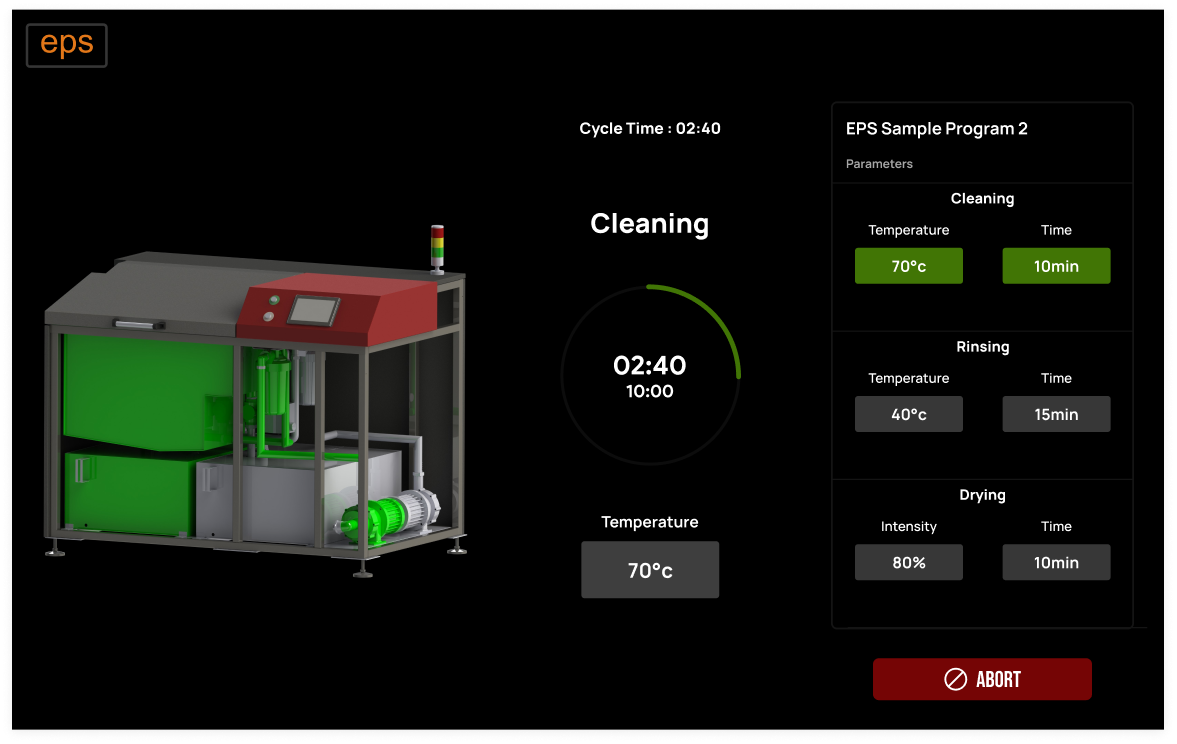
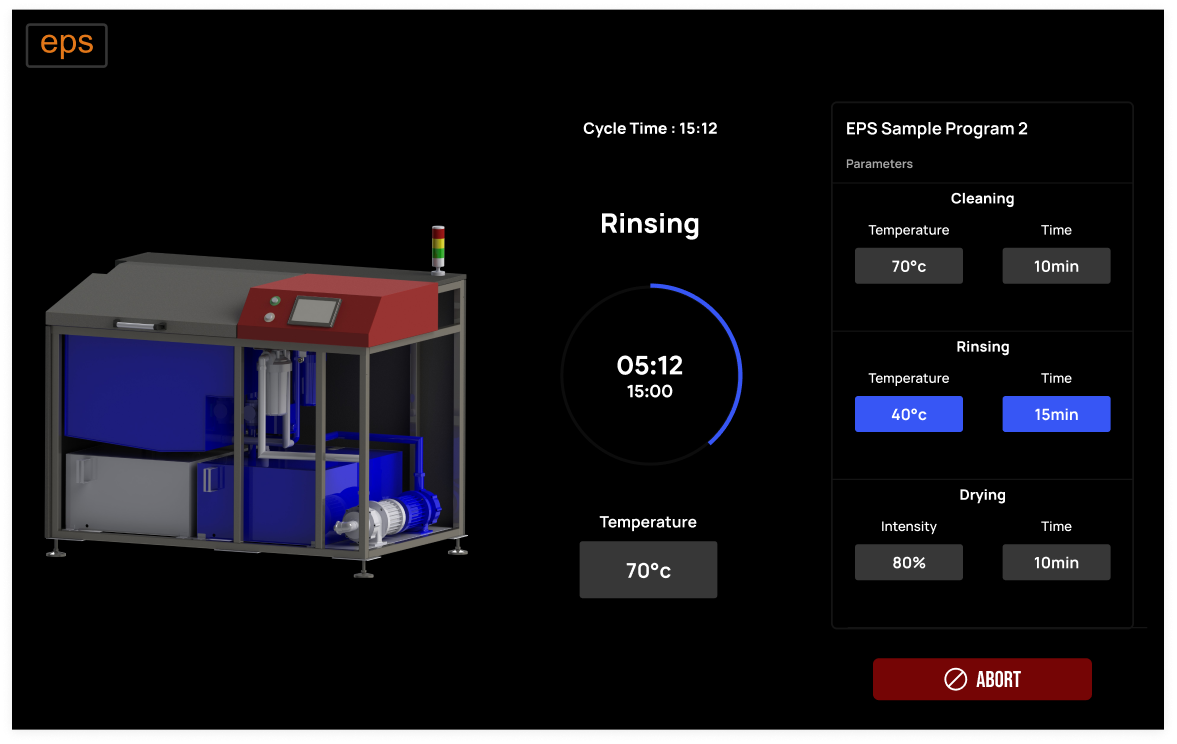
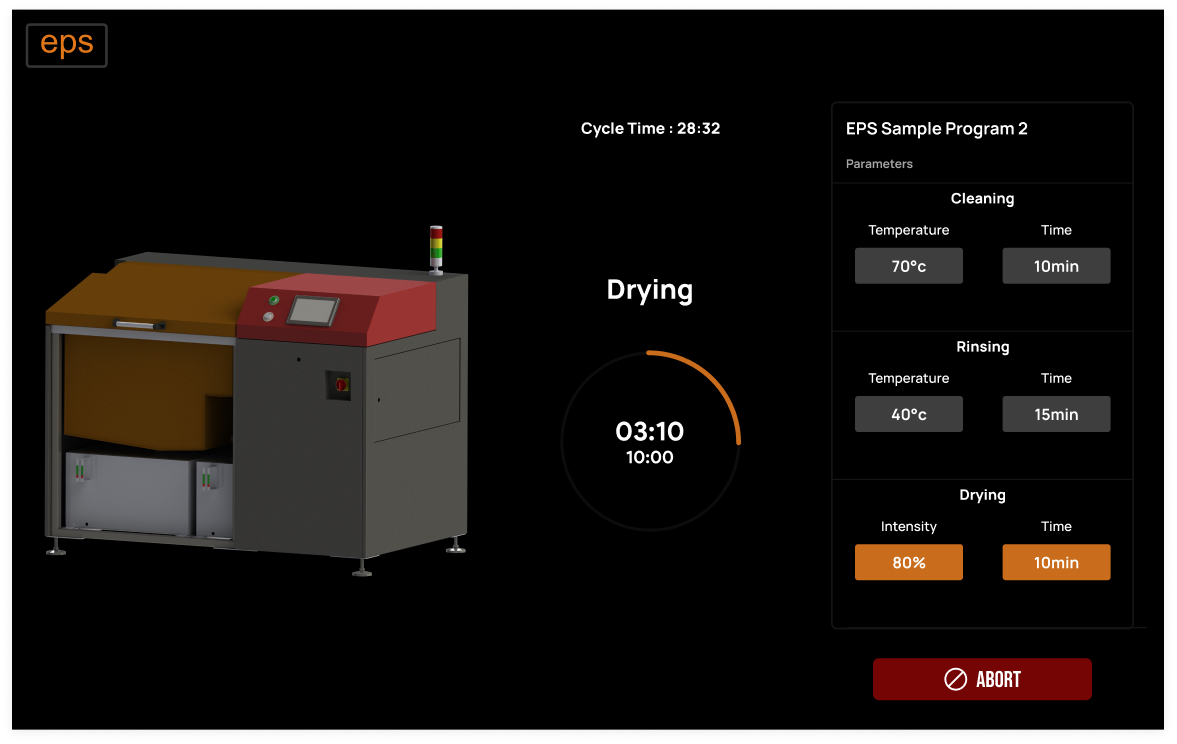
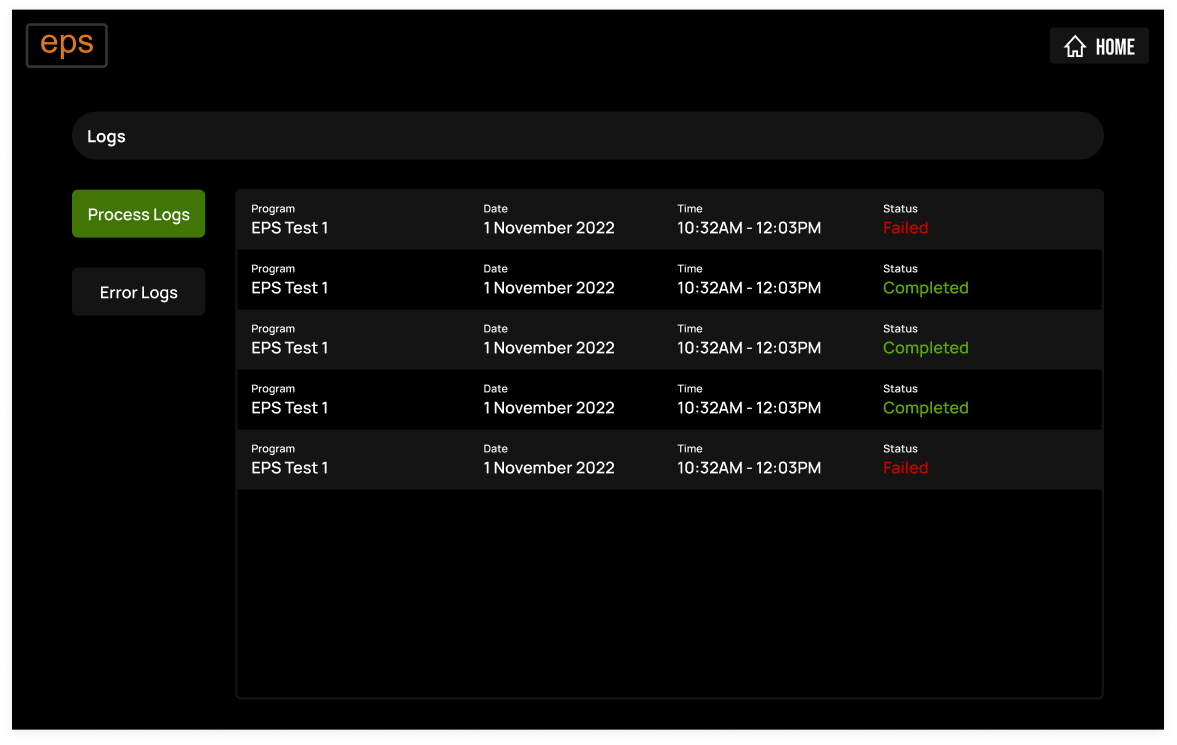
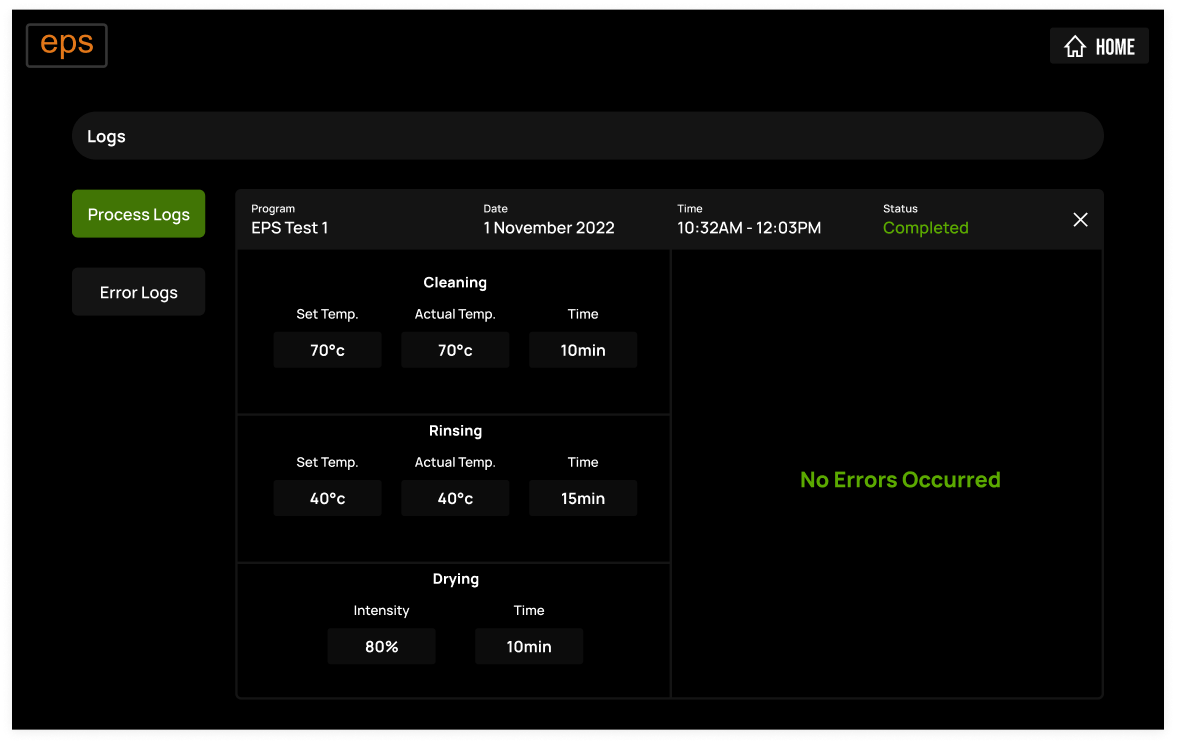
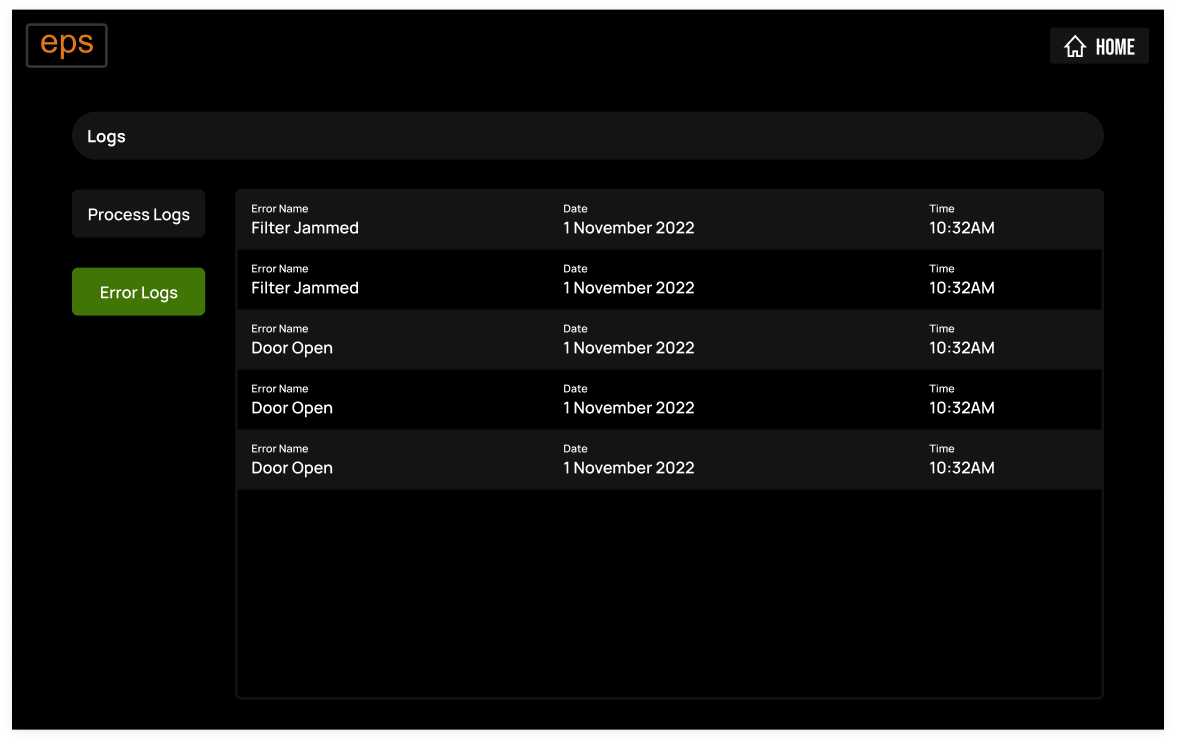
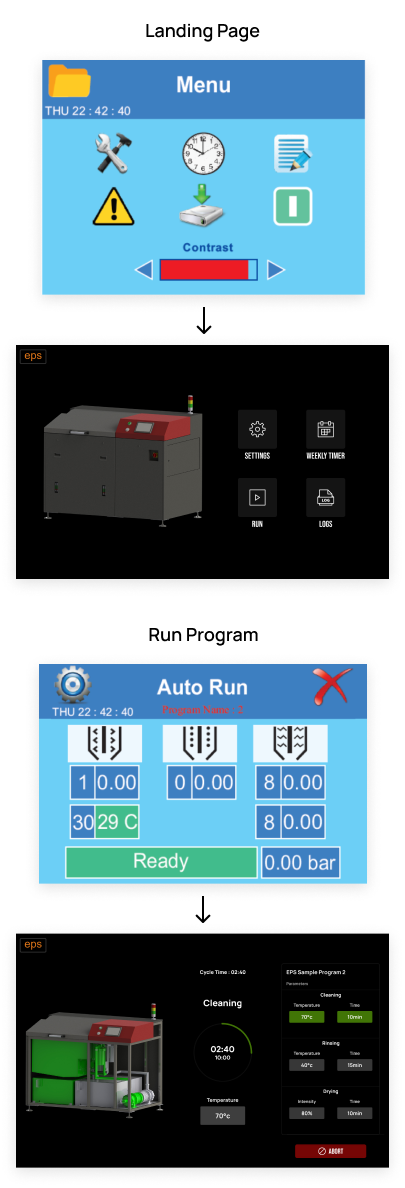
- Re-designing human-machine interface for air agitation cleaning machine which is used in Electronics industry for stencil and pallet cleaning.
- scope
- Design and Development of Android based human-machine interface
- team
- 3
- role
- Team Leader (HMI design and development)
- problem1
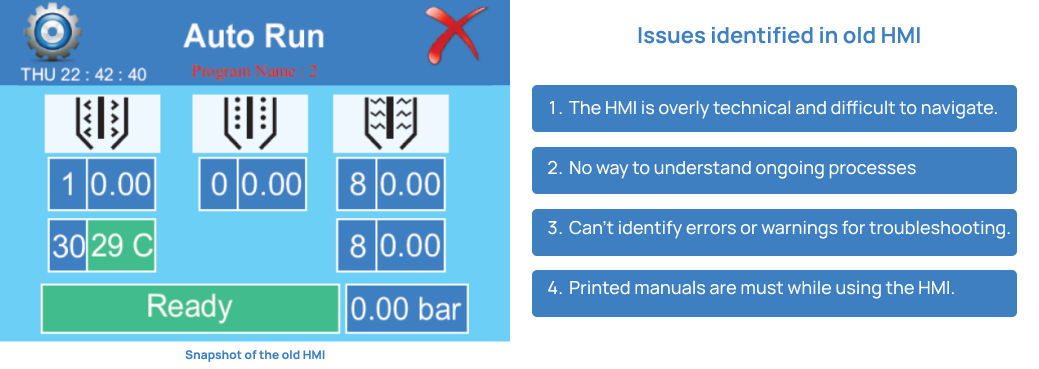
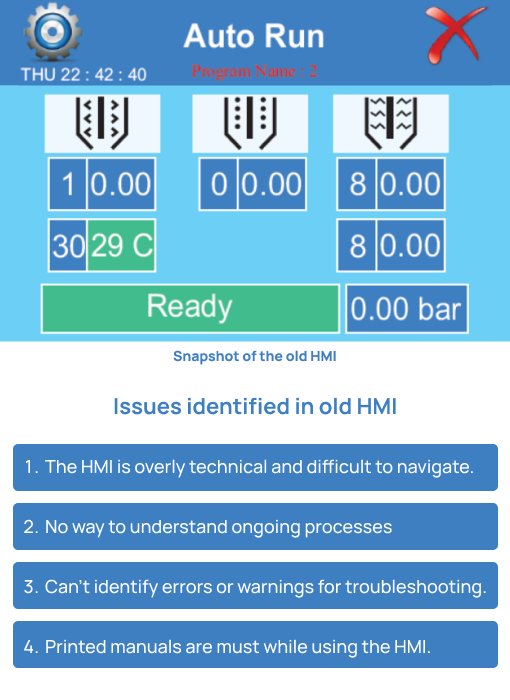
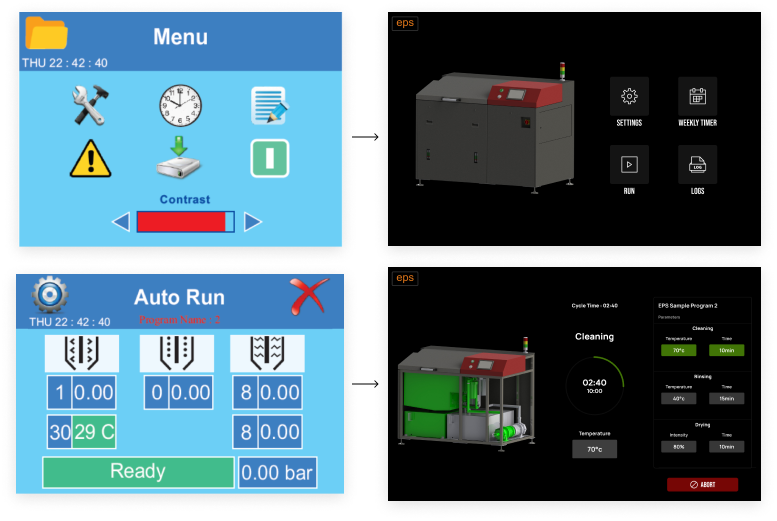
- The touch screen HMI was antiquated and difficult to use, resulting in numerous complaints from clients about its inefficient design and operation.
- problem2
- To address the issues related to the outdated human-machine interface (HMI), we conducted multiple brainstorming sessions involving all stakeholders. The aim of these sessions was to gain a comprehensive understanding of their grievances and concerns. As a result of these collaborative discussions, we successfully identified several key issues that needed to be addressed.
- soln1
- Having thoroughly understood the clients' grievances, we zeroed in on several key ideas to improve the HMI.
- soln2
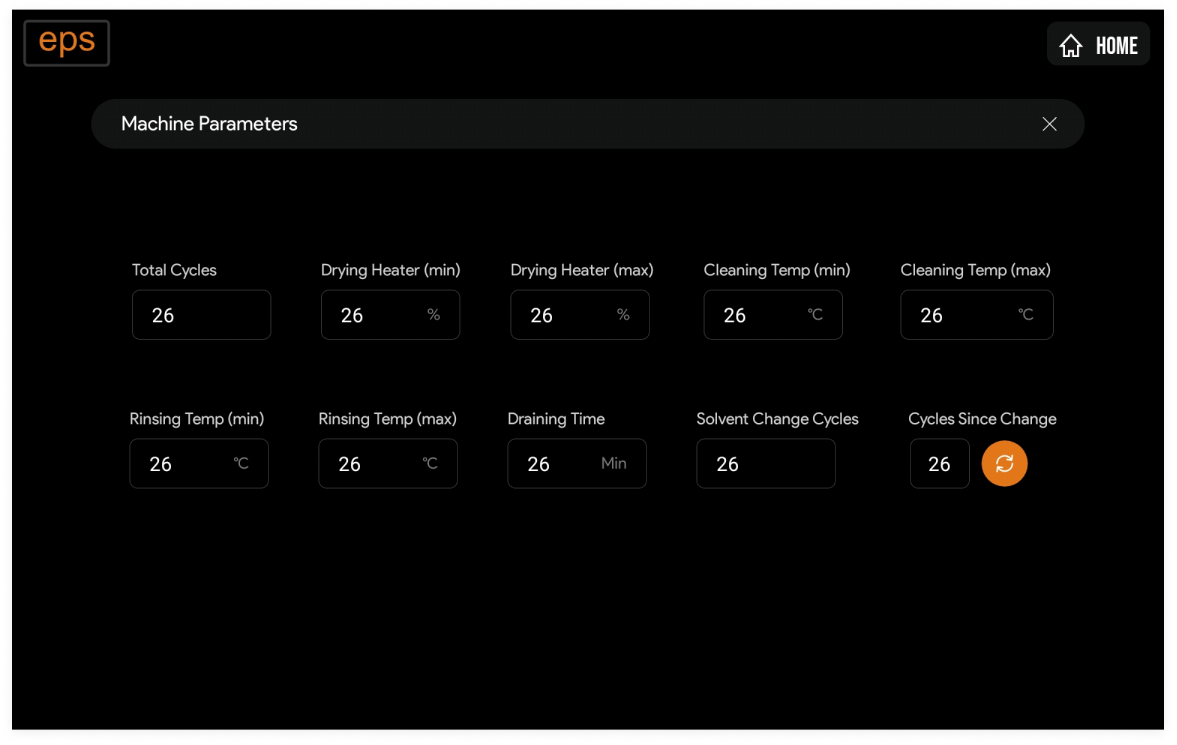
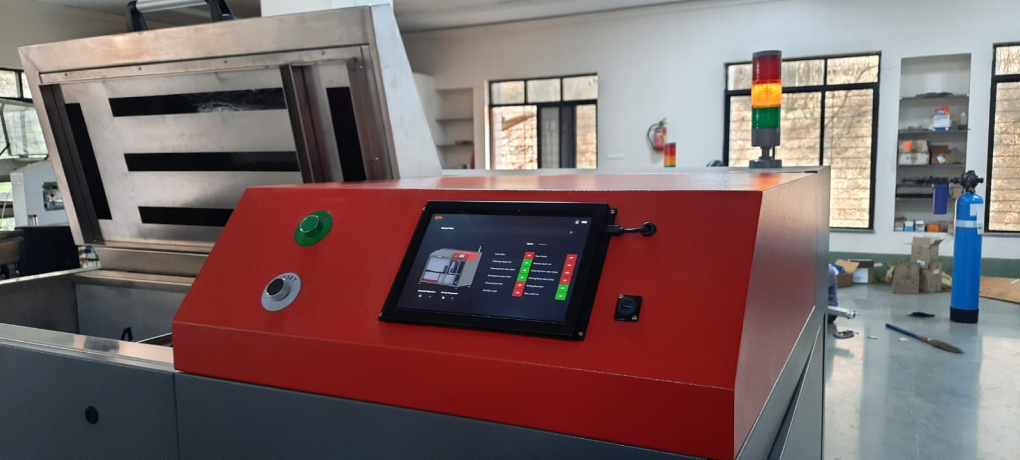
- 1. Instead of using standard HMI units, we decided to use Android tablets due to their high-resolution screens and versatility in UI development.
- soln3
- 2. We aimed to simplify the user interface as much as possible to minimize the need for printed manuals during operation.
- soln4
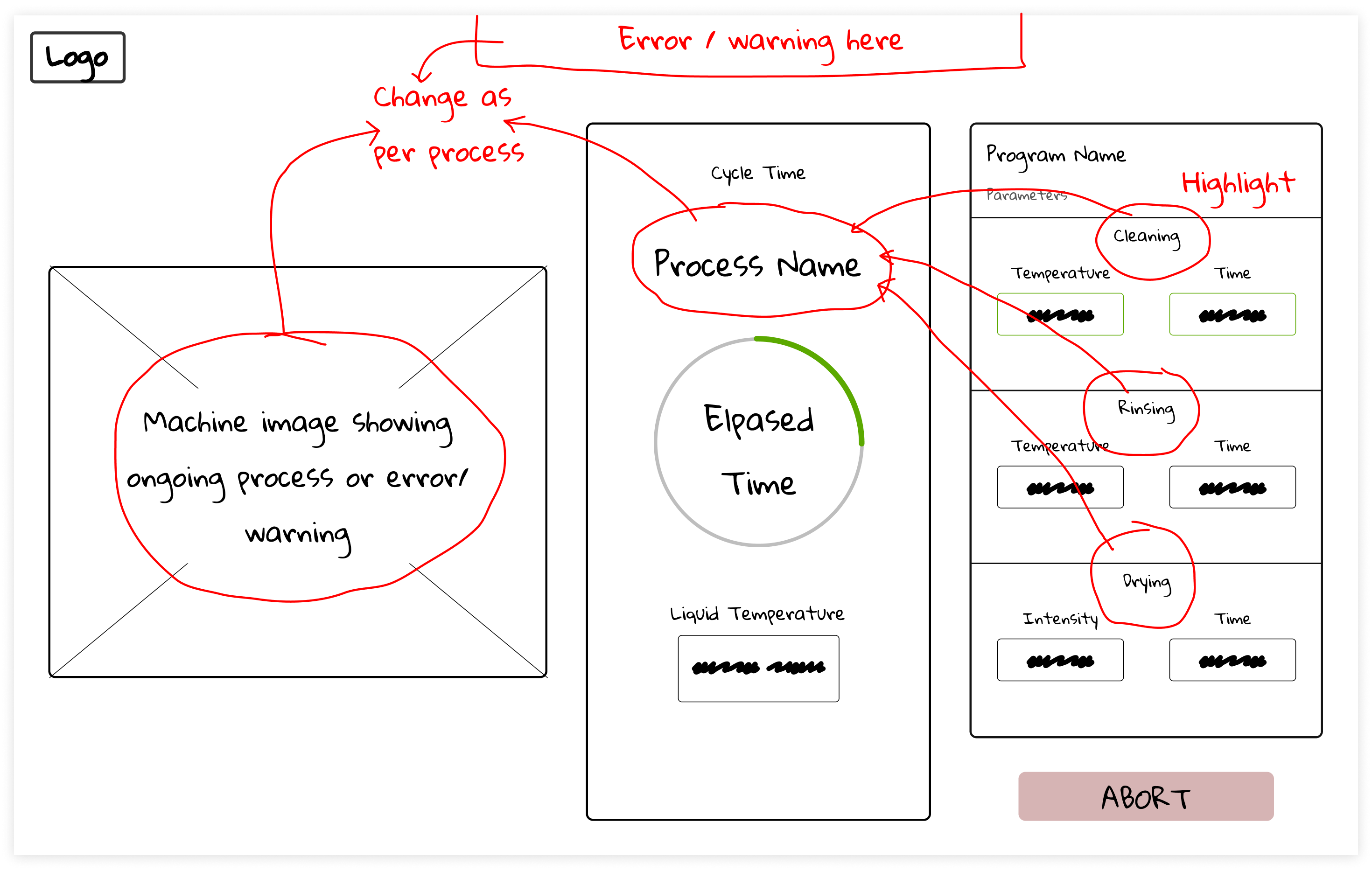
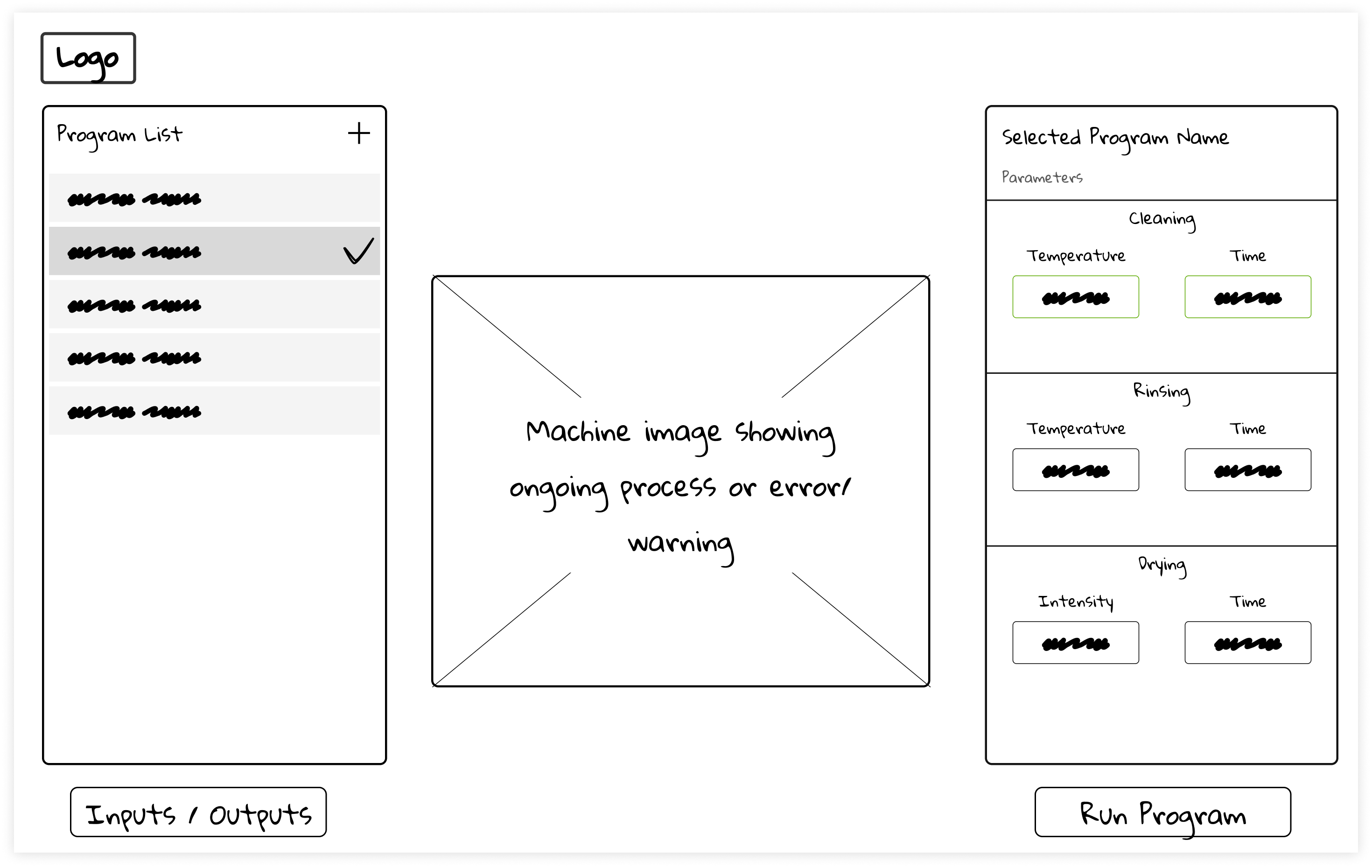
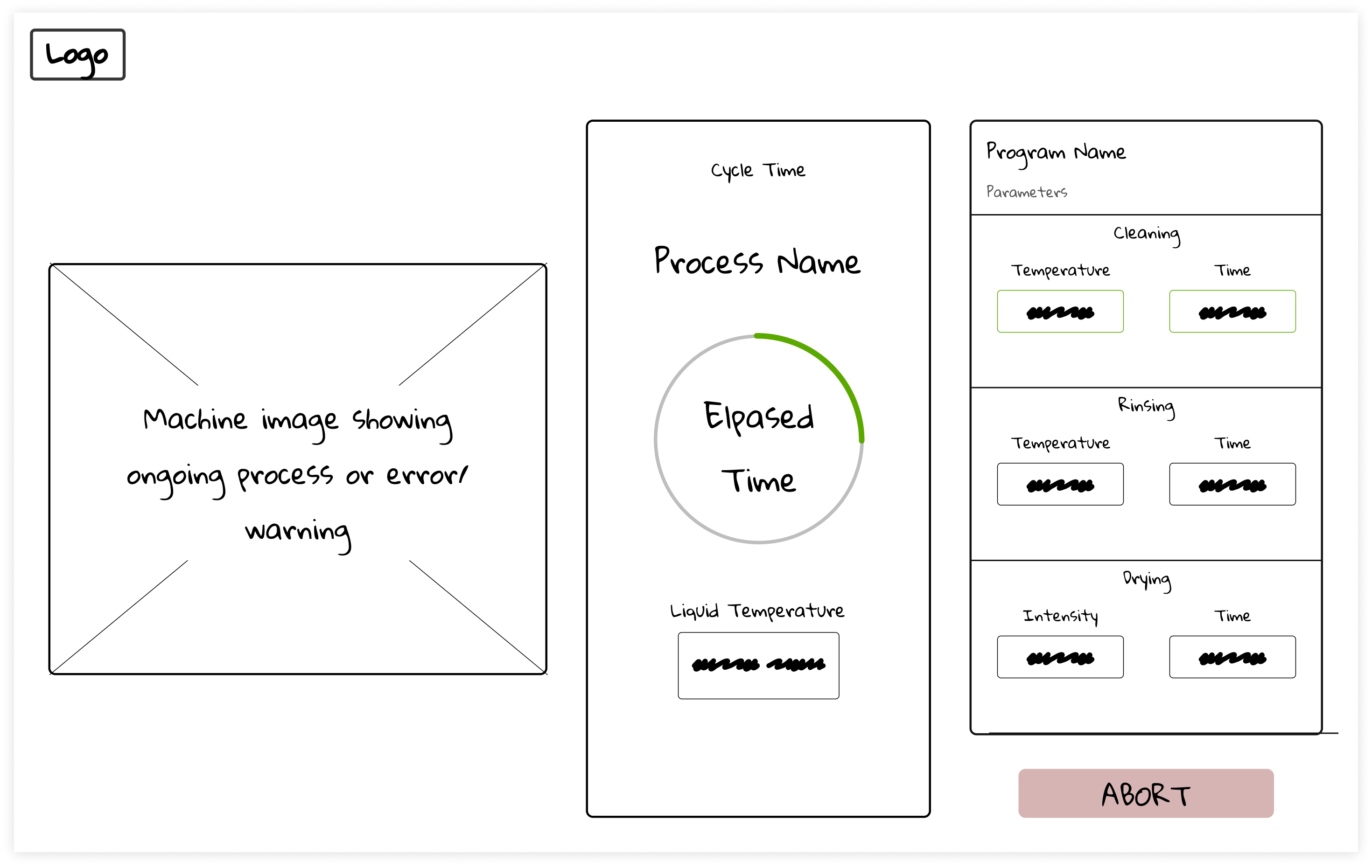
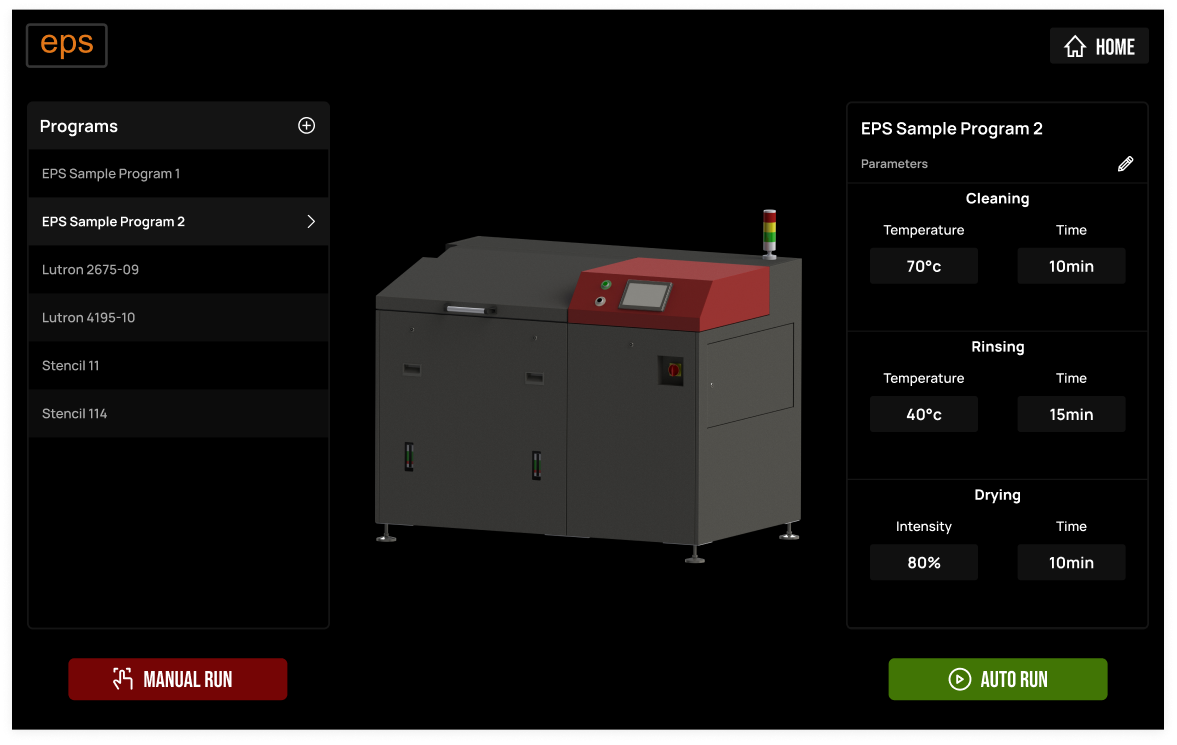
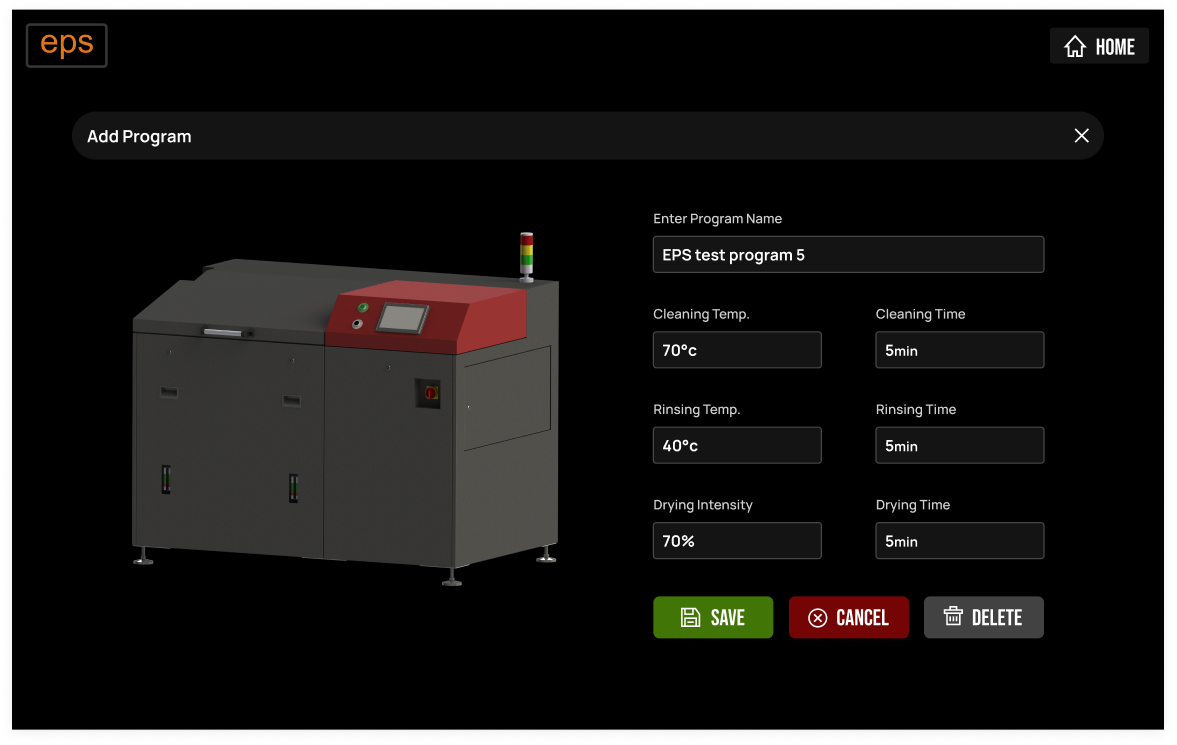
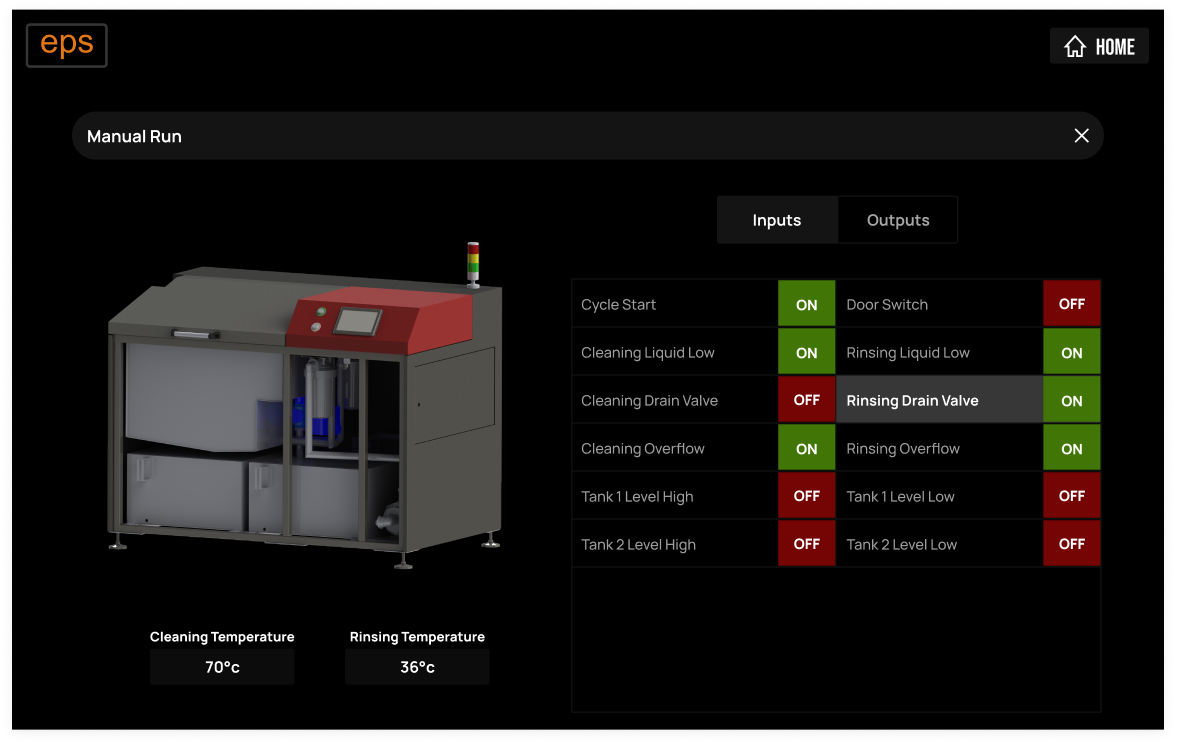
- 3. We incorporated pictorial representations of the machine on the UI to make it easier for operators to understand ongoing processes and identify errors or warnings for troubleshooting.
- ia1
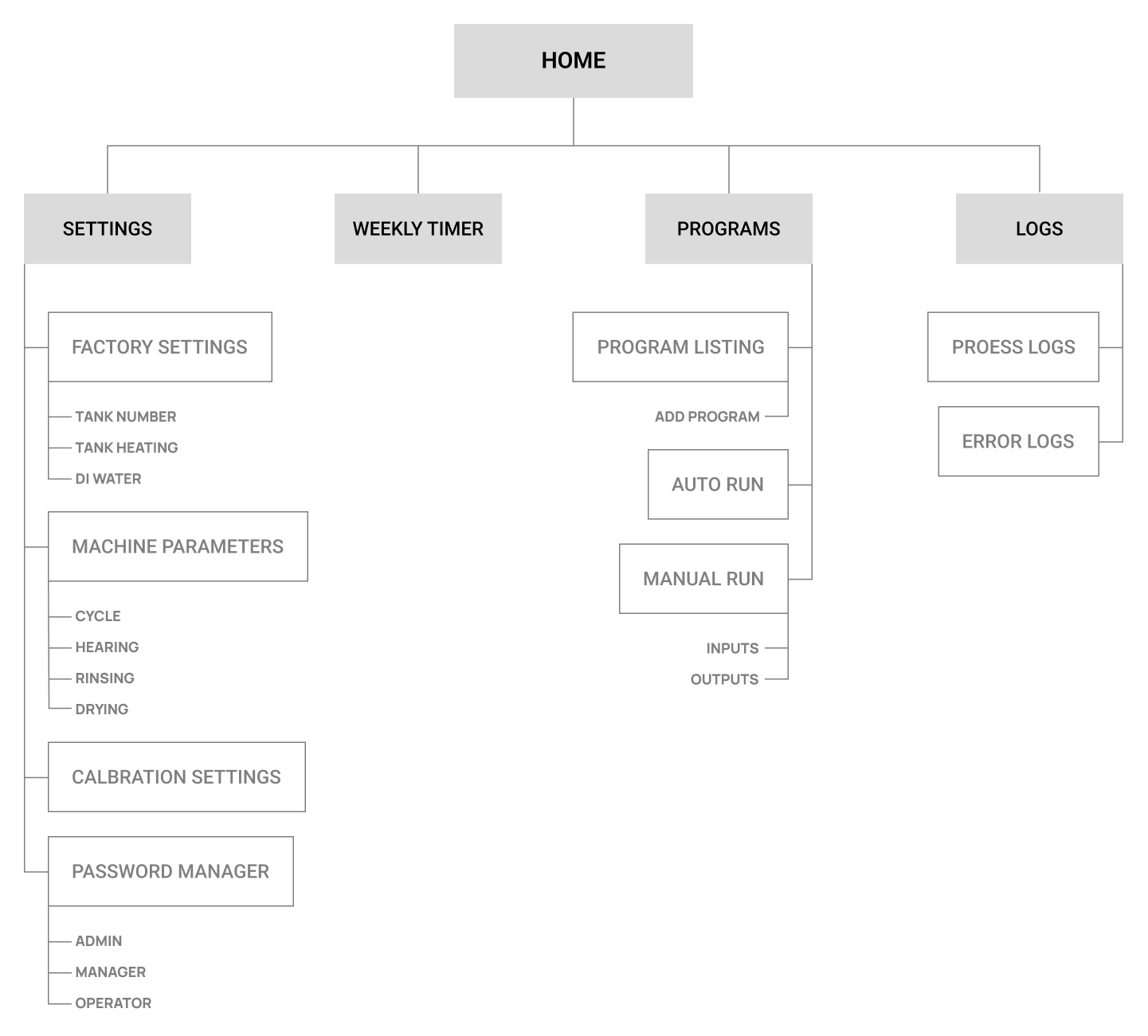
- After finalizing the high-level solution, we began by creating a sitemap for the HMI. This process provided us with an overview of the entire HMI structure, as well as all of the functionalities that were included. By doing so, we were able to gain visibility into the project and ensure that we were on the right track.
- wfame1
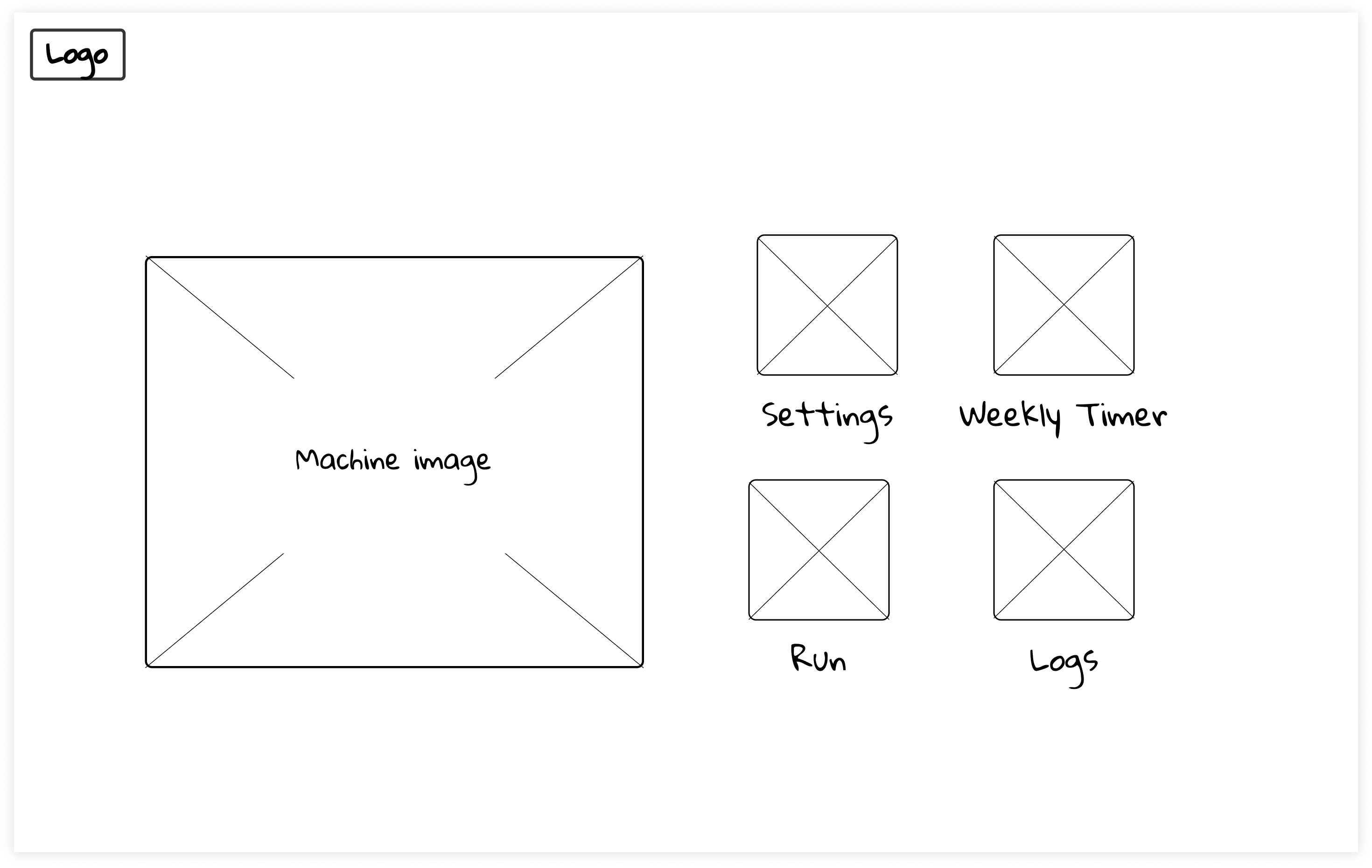
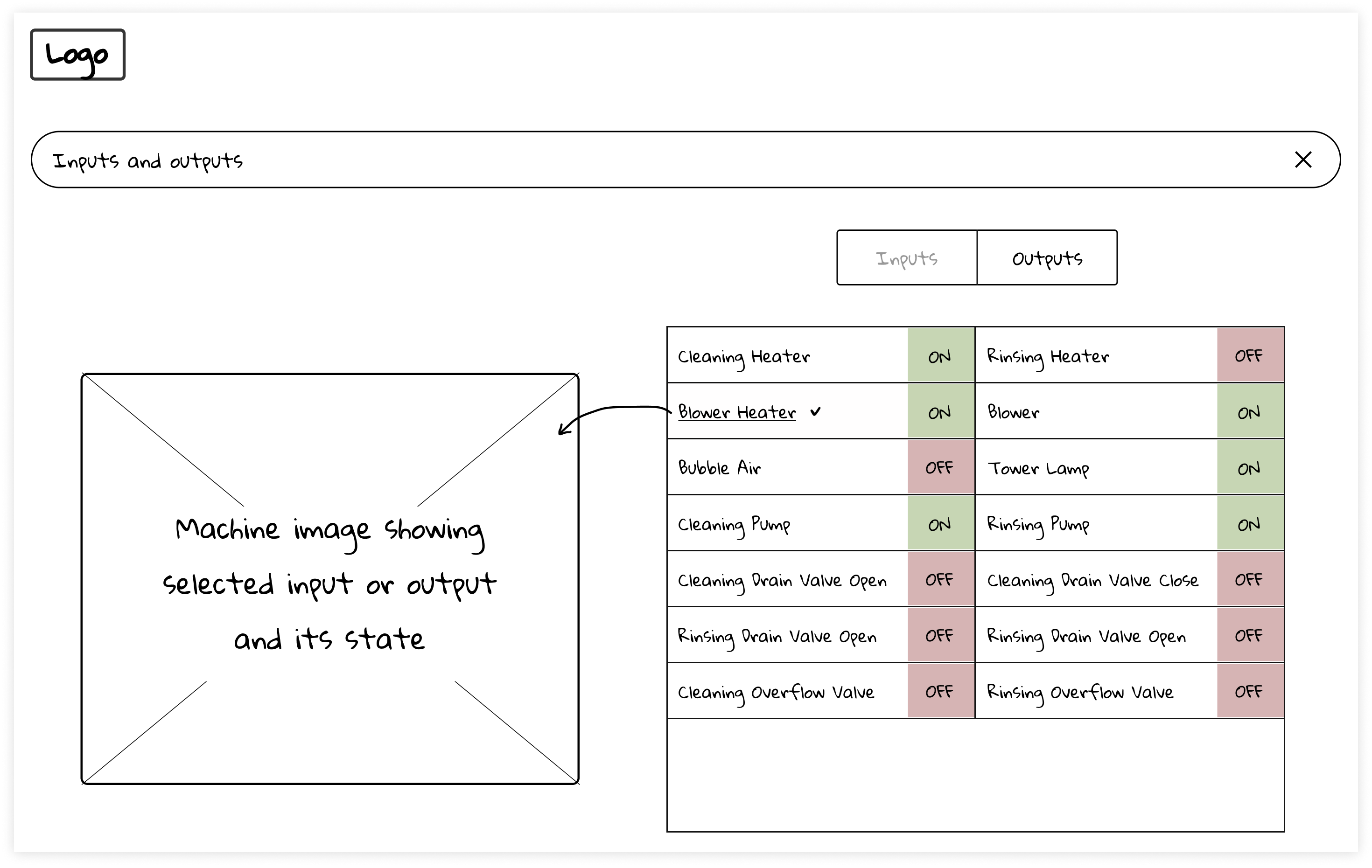
- Once the core points for the MVP were finalized, the team moved on to creating wireframes.
- wfame2
- The central idea behind the UI design was to prominently feature machine illustration front and center in order to make the interface intuitive and to keep operator updated on the ongoing process.
- mockup1
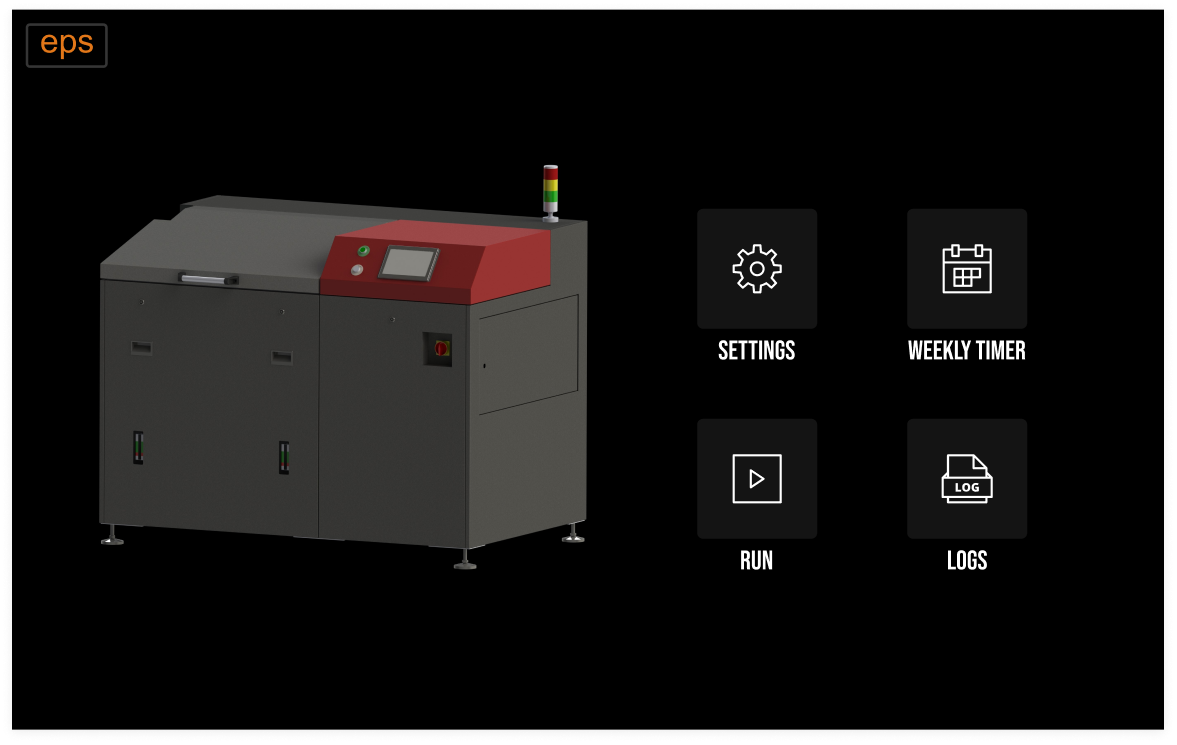
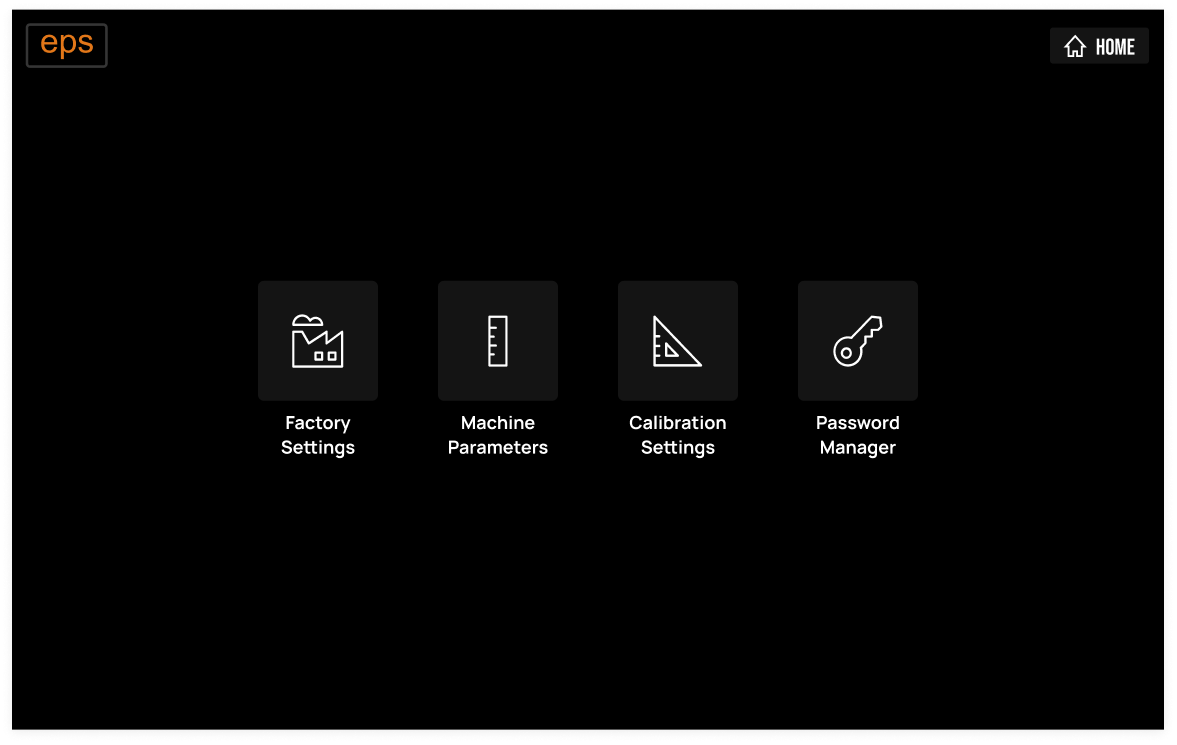
- After four iterations of mockup drawings, we finalized them, and the team progressed to designing high-fidelity mockups.
- mockup2
- This next phase of the design process allowed us to refine our ideas and ensure that the final product would meet the needs and expectations of our stakeholders.
- mockup3
- By using high-fidelity mockups, we were able to test the user interface and user experience, identify potential issues, and make the necessary adjustments to enhance the overall design.
- status1
- The redesigned HMI has been widely adopted by over 100 factories in 13 countries, including prominent clients such as -


Krupa NMS (krupa-nms)
- slug
- krupa-nms
- title
- Krupa NMS
- subtitle
- Web and App design and development
- data
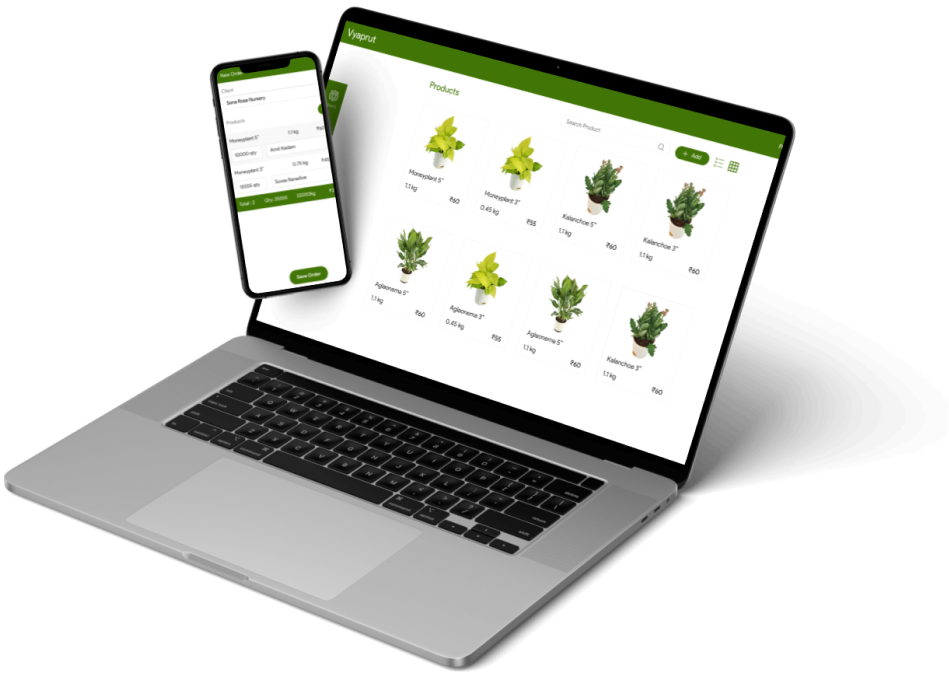
- A personalized cloud-based ERP software for Indiaƒ?Ts largest plant nursery. That works seamlessly on both mobile app and web browser.
- scope
- Design and Development of Android application and web application
- team
- 3
- role
- Team Leader (Design and development)
- problem1
- Krupa Florals, India's largest plant nursery, was using a manual pen-and-paper approach to manage their enterprise resource planning (ERP) processes. This outdated method resulted in significant inefficiencies and monetary losses.
- problem2
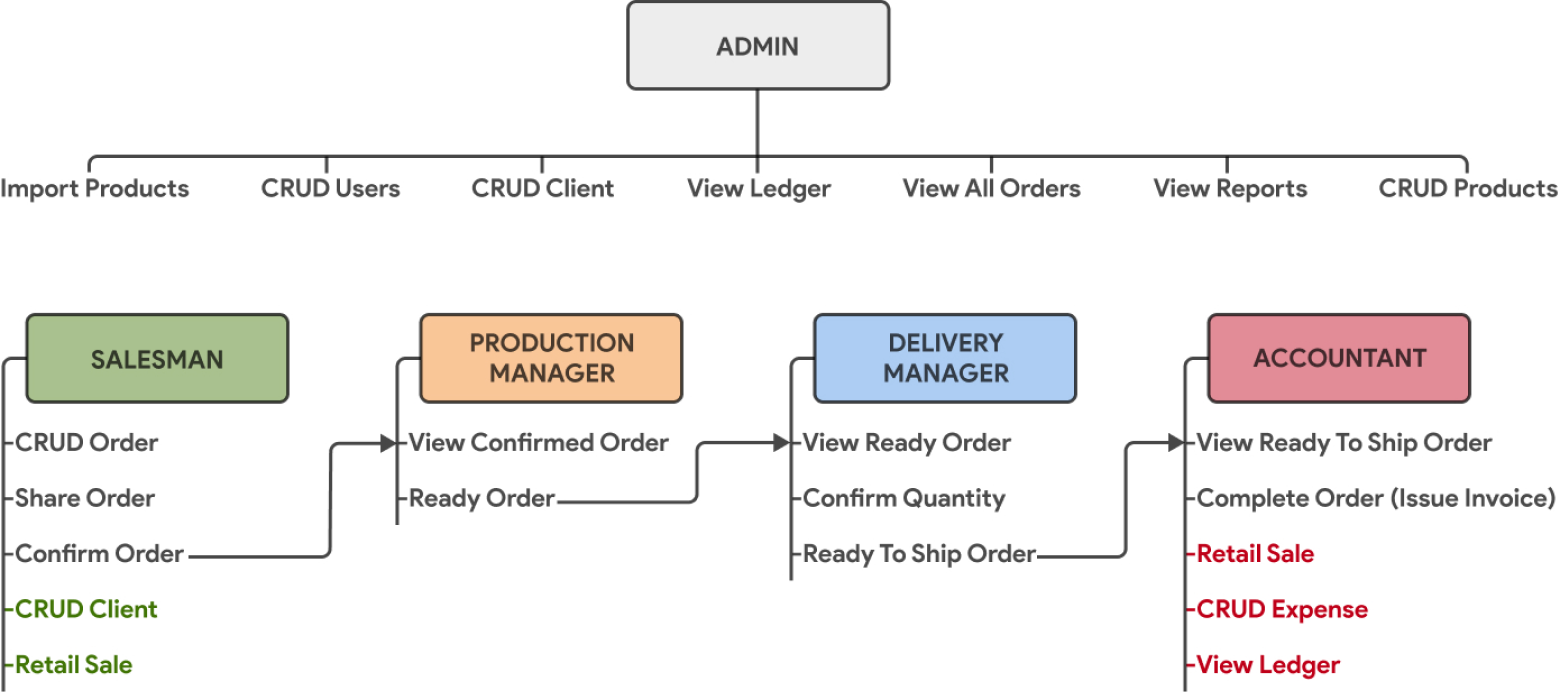
- The ERP process involved four main roles: Salesmanm production manager, delivery manager, accountant and admin on top to manage the entire operation.
- problem3
- However, due to the manual nature of the process, these roles were not effectively connected, resulting in disjointed workflows and inefficient operations.
- soln1
- To address the problems and bring efficiency to their operations, we proposed a digital solution that would streamline the ERP process and connect the four roles into one cohesive workflow.
- soln2
- By digitizing the process, we could remove inefficiencies and enable seamless communication between the different roles, resulting in a more streamlined and cost-effective operation.
- soln3
- The proposed digital solution would centralize data and provide real-time insights, enabling the team to make informed decisions and optimize their operations.
- soln4
- By implementing this solution, Krupa Florals would be able to improve their business processes and reduce monetary losses, positioning them for growth and success in the competitive plant nursery market.
- rna1
- To remove inefficiencies and enable seamless communication between the different roles, we defined roles and action map to streamline the order flow.
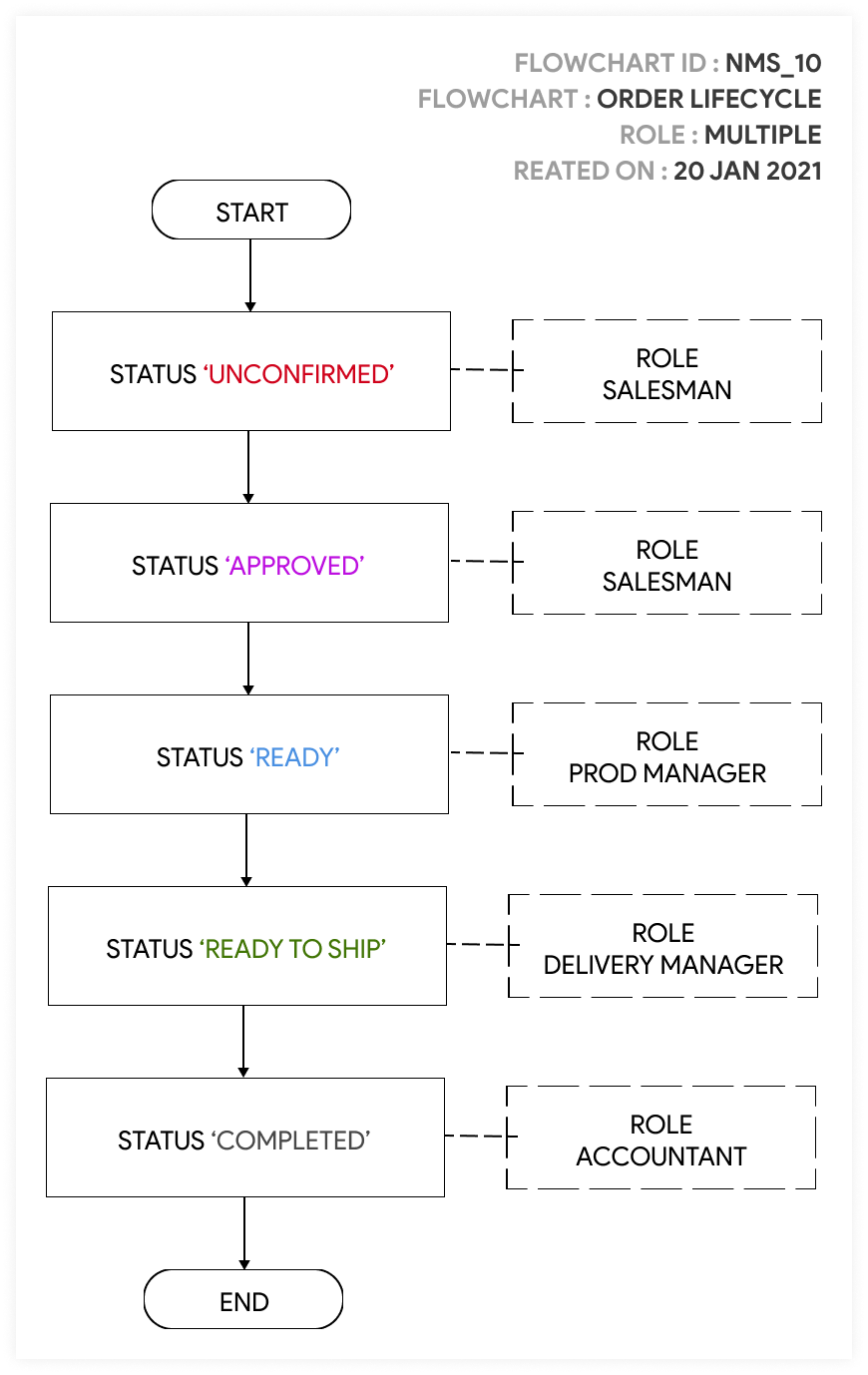
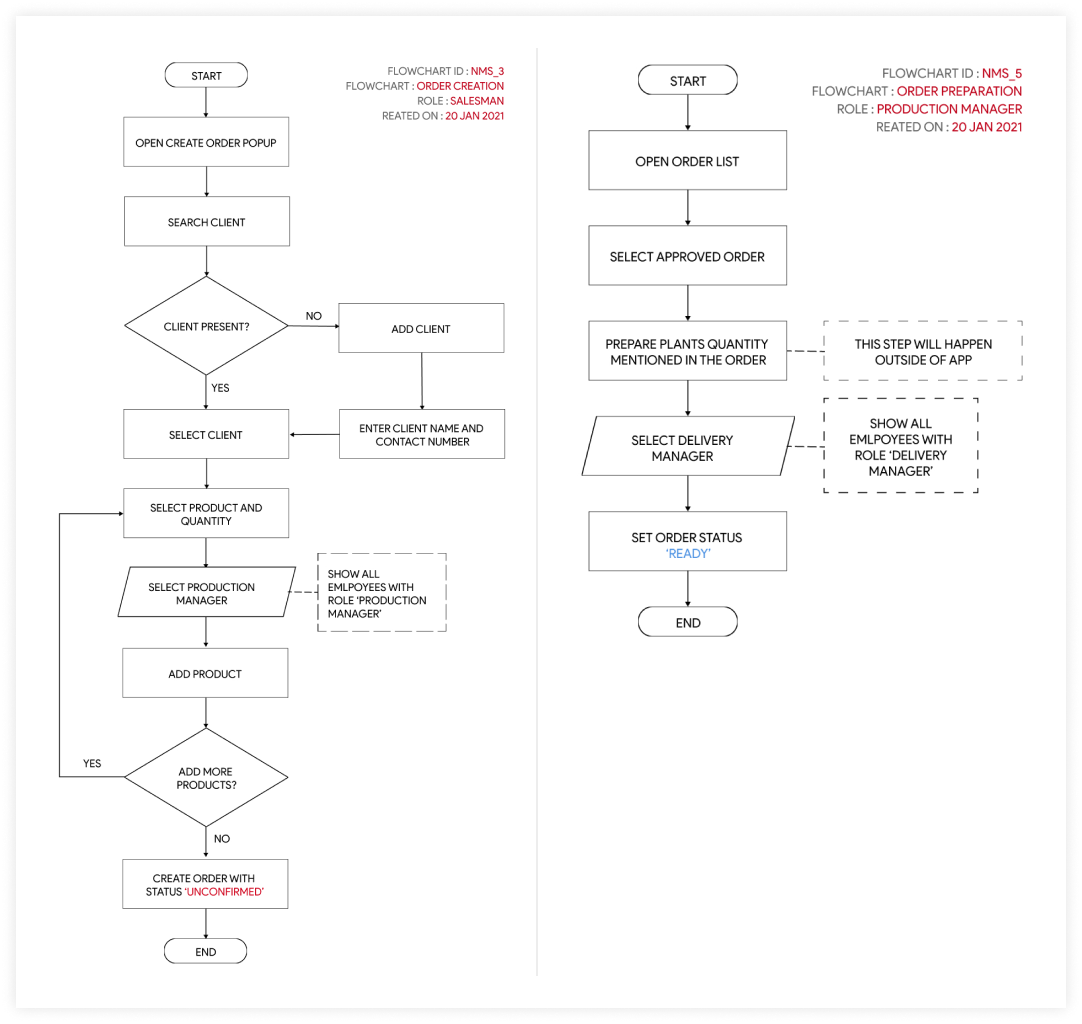
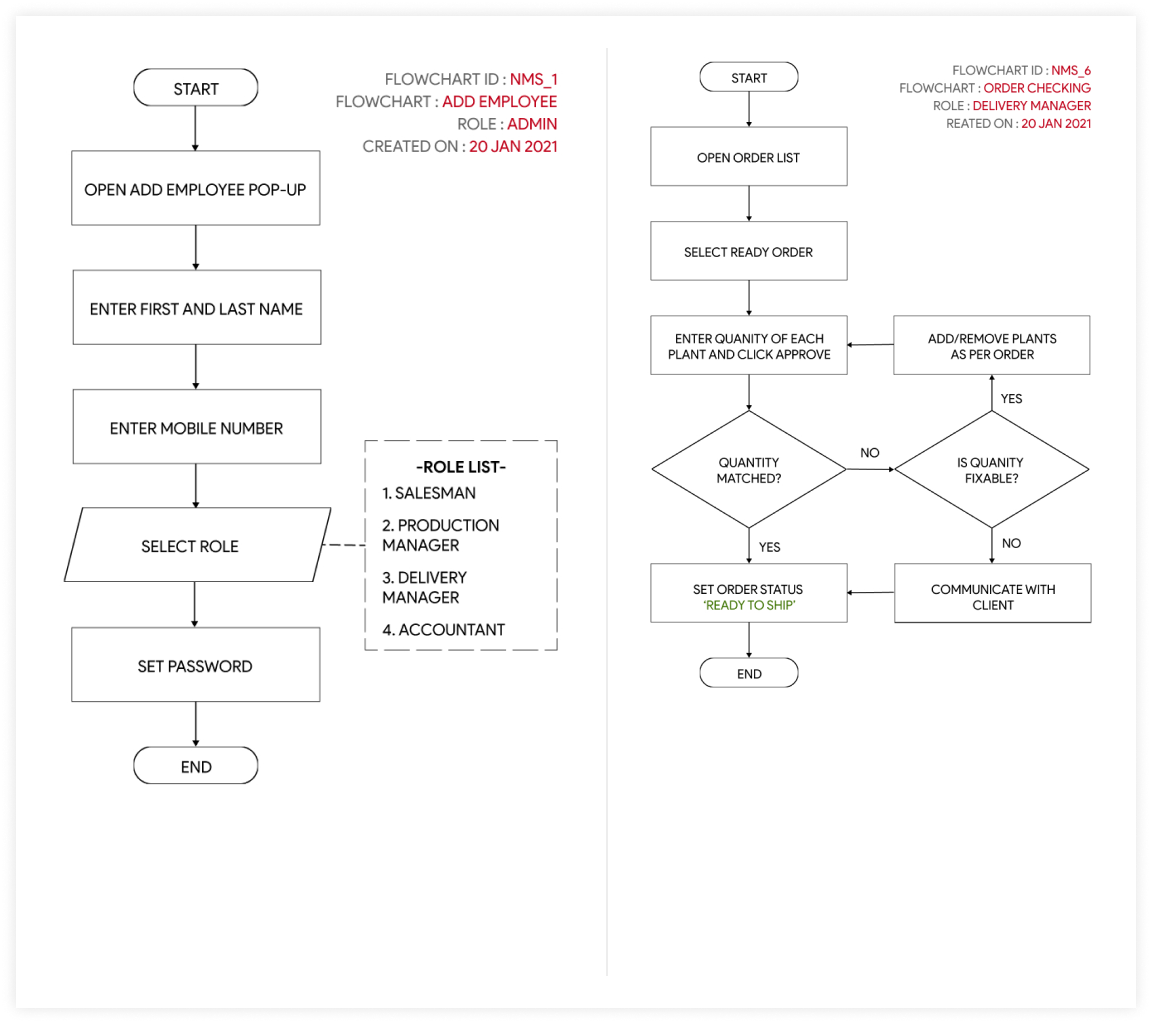
- uflow1
- To address the problems and bring efficiency to their operations, we proposed a digital solution that would streamline the ERP process and connect the four roles into one cohesive workflow.
- uflow2
- By digitizing the process, we could remove inefficiencies and enable seamless communication between the different roles, resulting in a more streamlined and cost-effective operation.
- uflow3
- The proposed digital solution would centralize data and provide real-time insights, enabling the team to make informed decisions and optimize their operations.
- uflow4
- By implementing this solution, Krupa Florals would be able to improve their business processes and reduce monetary losses, positioning them for growth and success in the competitive plant nursery market.
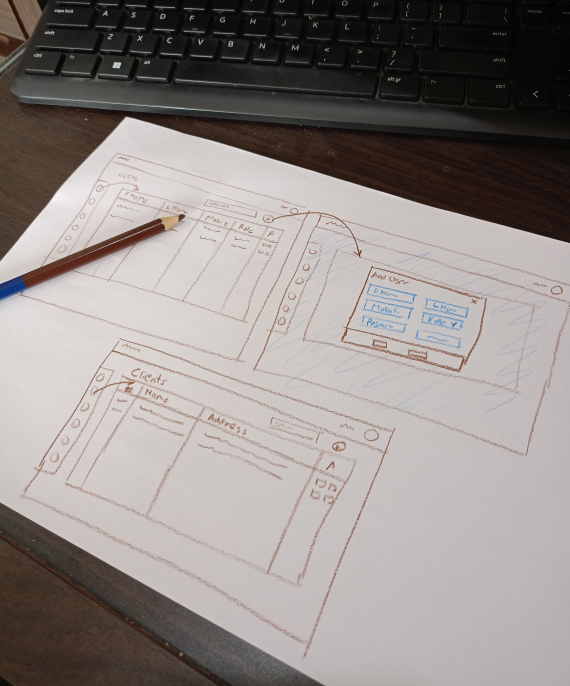
- wf1
- After finalizing the user flows for Krupa Florals' ERP system, the next step was to create wireframe sketches to gain a clear picture of the system's functionality and help to ensure that all stakeholders are on the same page before moving on to more detailed design work.
- wf2
- We worked closely with the Krupa Florals team to understand their preferences for the system's layout and design. We then sketched out the wireframes by hand, mapping out each screen of the system and the elements that would be included on each screen.
- wf3
- Overall, creating wireframe sketches helped to streamline the design process and ensure that everyone involved was aligned on the system's layout and design. By gaining clarity early on in the process, we were able to create a more efficient and effective ERP system for Krupa Florals.
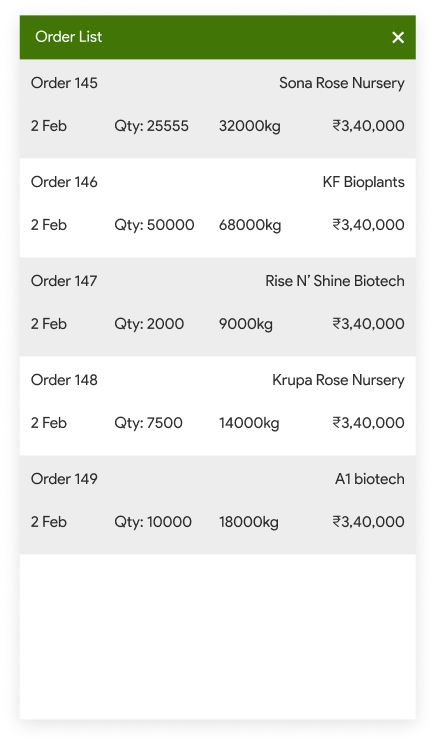
- mockup1
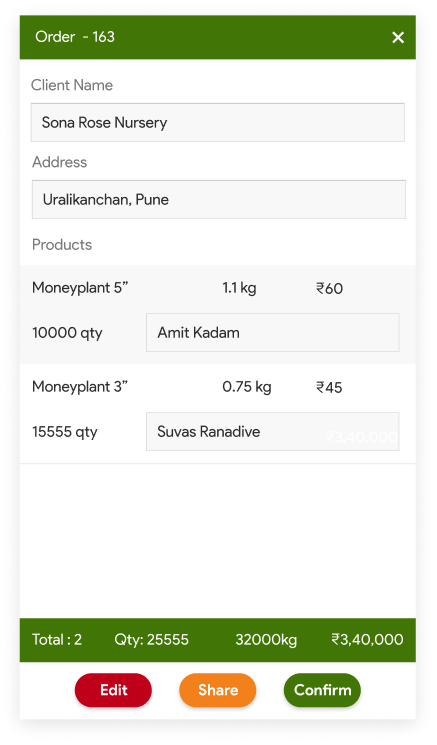
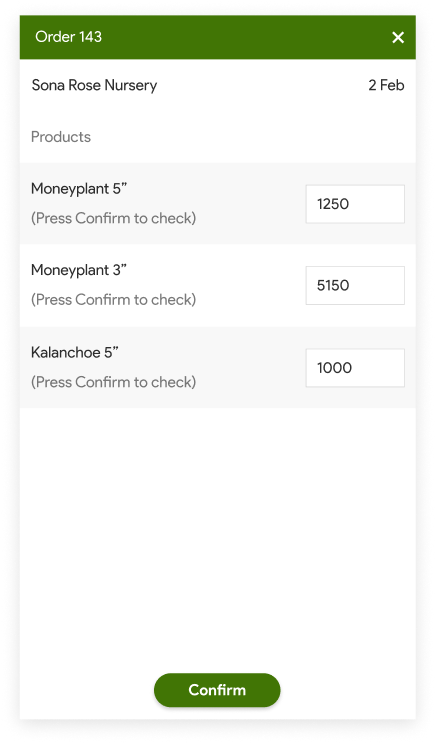
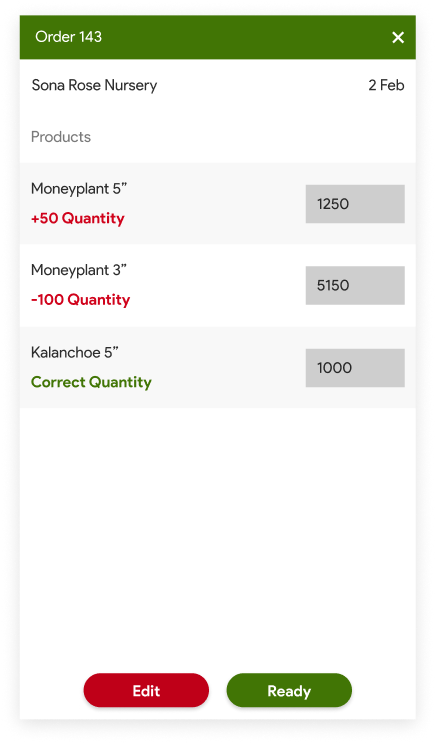
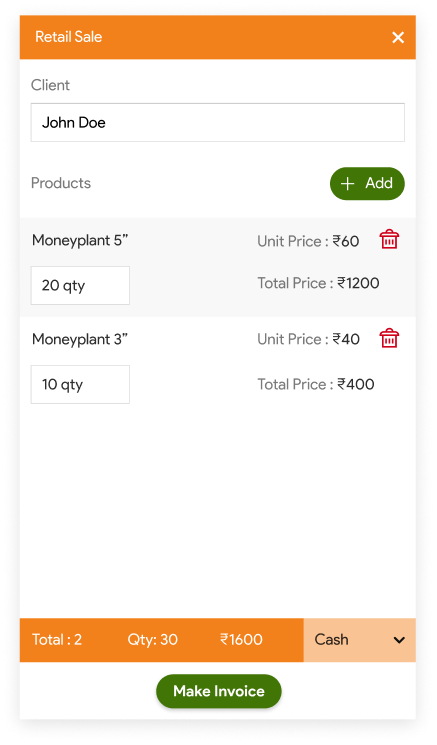
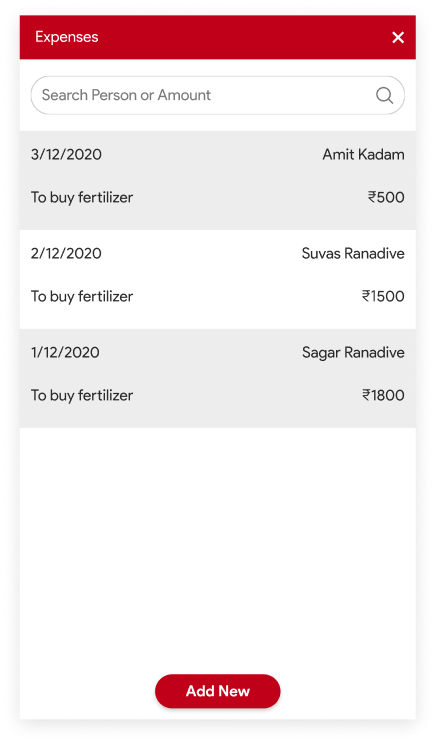
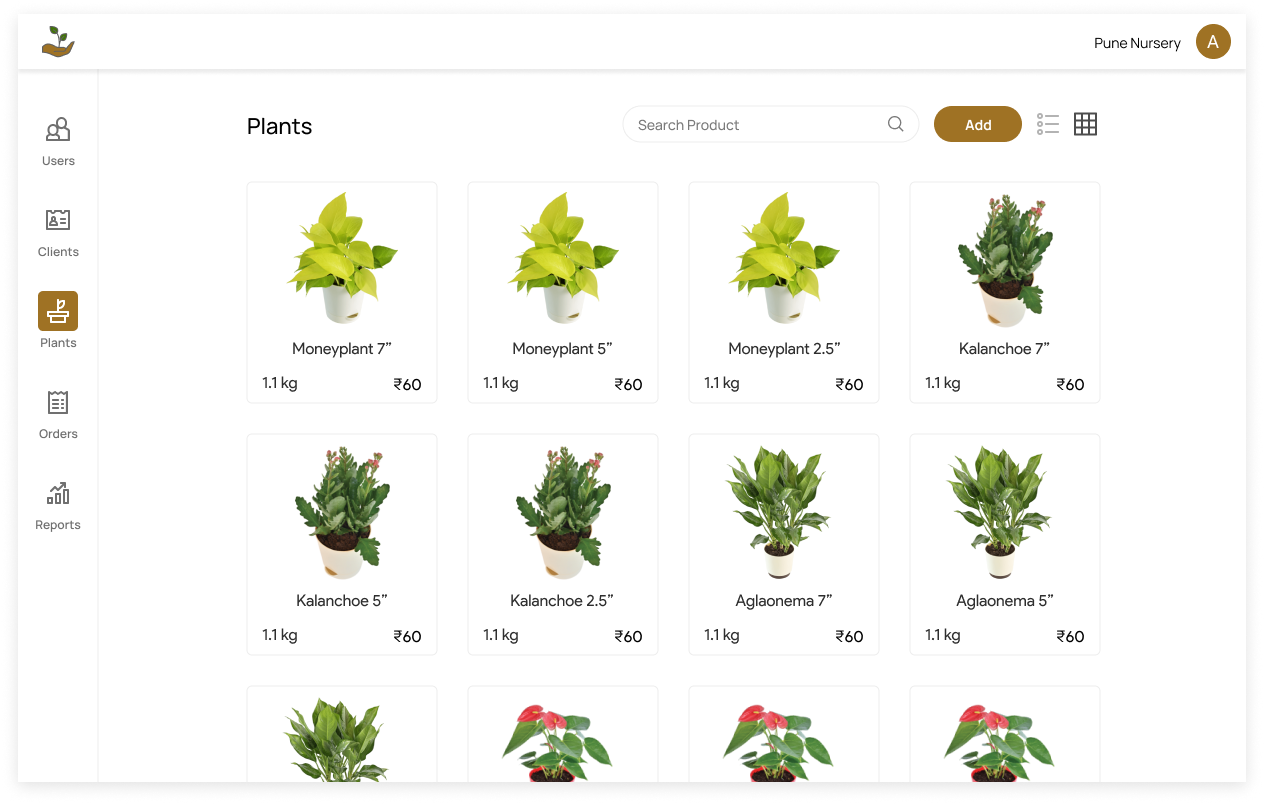
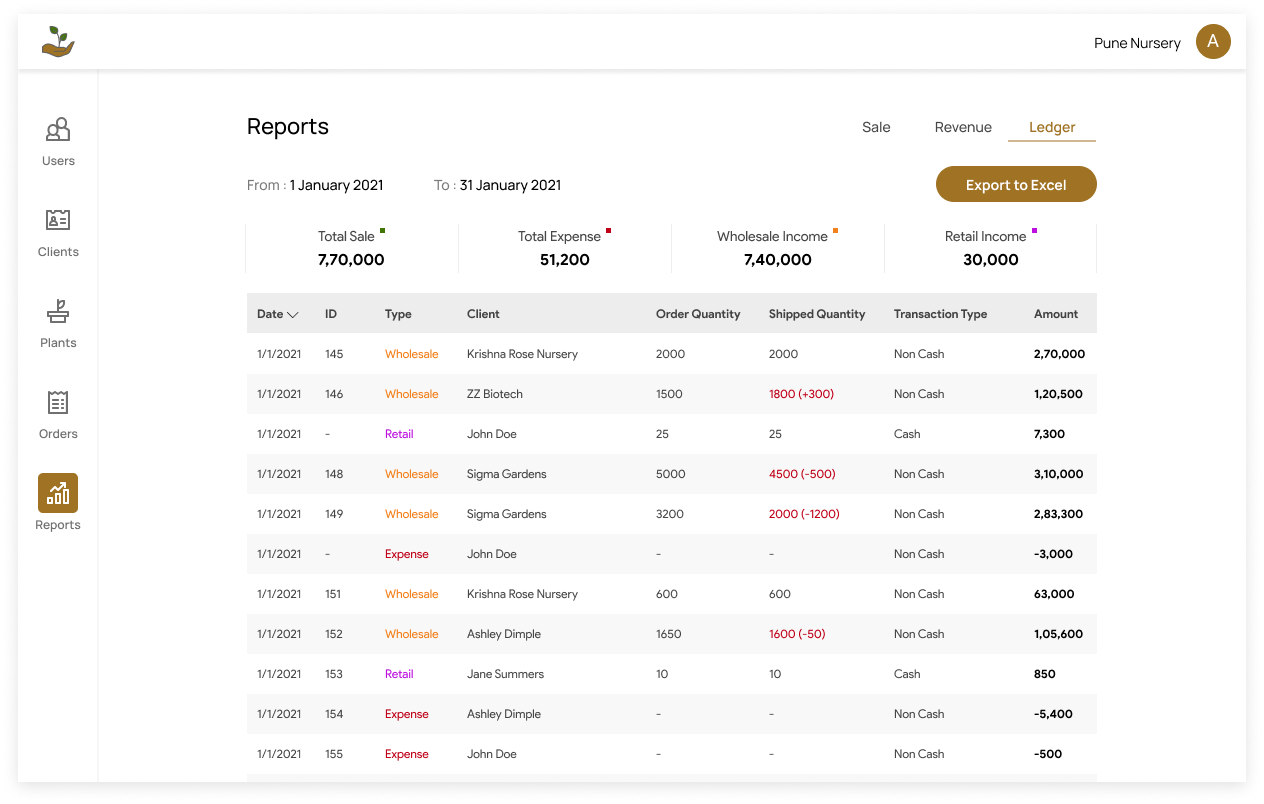
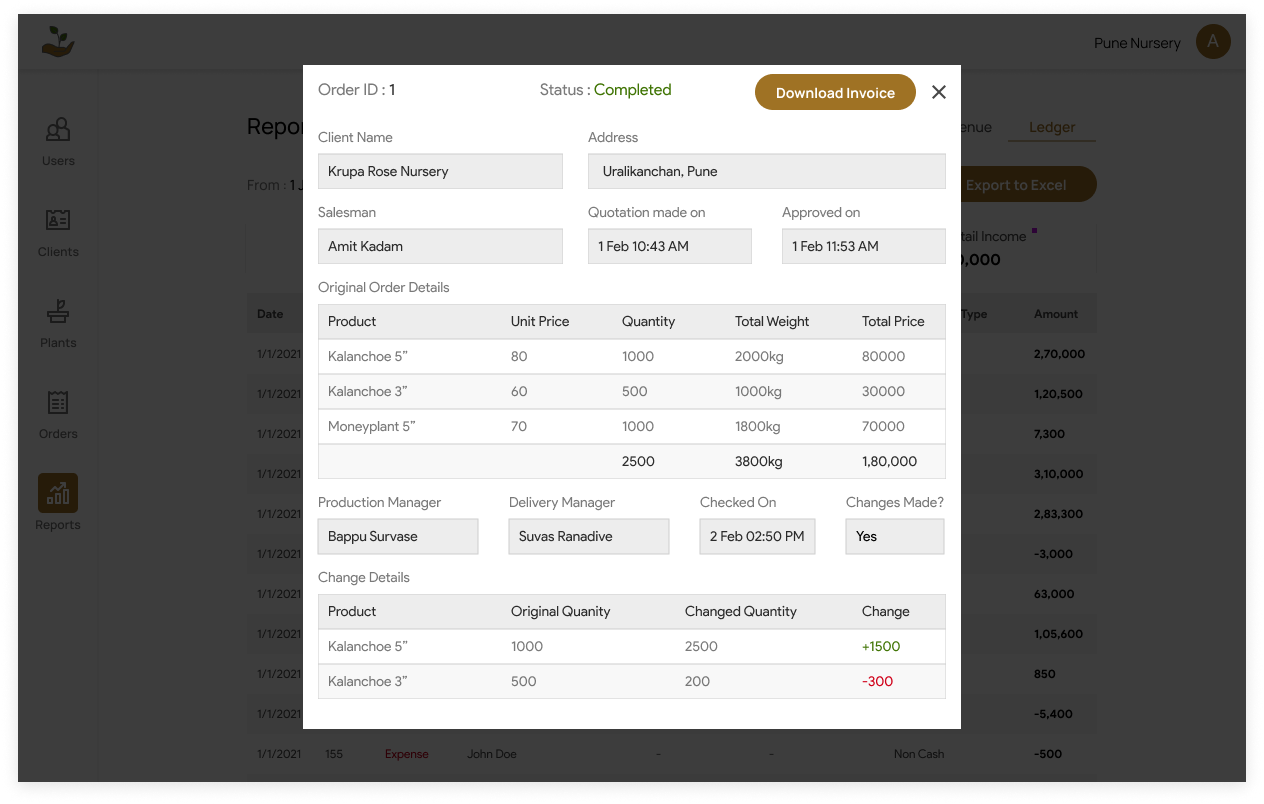
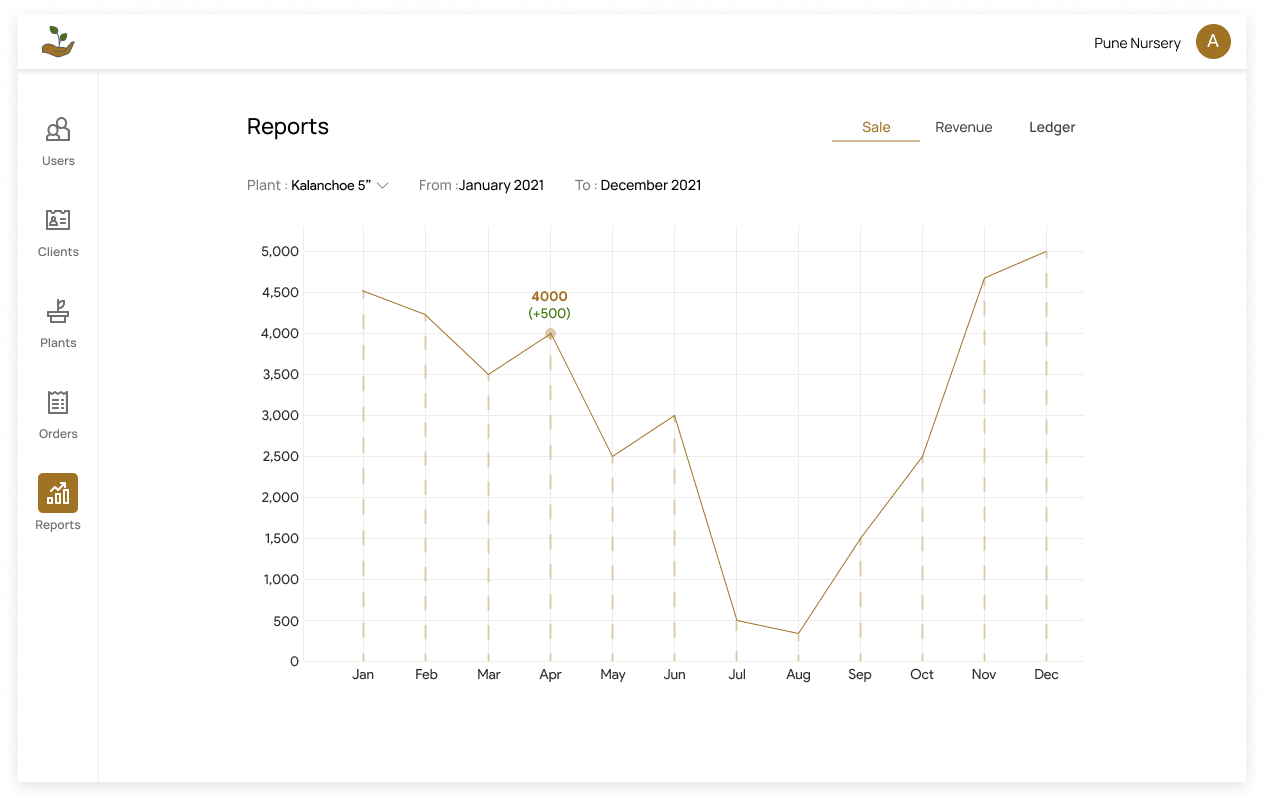
- After finalizing the wireframes for Krupa Florals' ERP system, the next step was to create high fidelity mockups of both the Android application and web application. High fidelity mockups provide a detailed view of the system's design and functionality, including the placement of elements, typography, colors, and other design elements.
- mockup2
- Throughout the design process, we solicited feedback from the Krupa Florals team, making adjustments as necessary to ensure that the design met their needs and preferences. We also conducted usability testing to ensure that the design was user-friendly and easy to navigate.
- mockup3
- Overall, creating high fidelity mockups helped to bring the design to life and ensure that all stakeholders were aligned on the system's layout and design. By focusing on user experience and usability, we were able to create a system that was not only visually appealing but also efficient and effective for Krupa Florals.
- status1
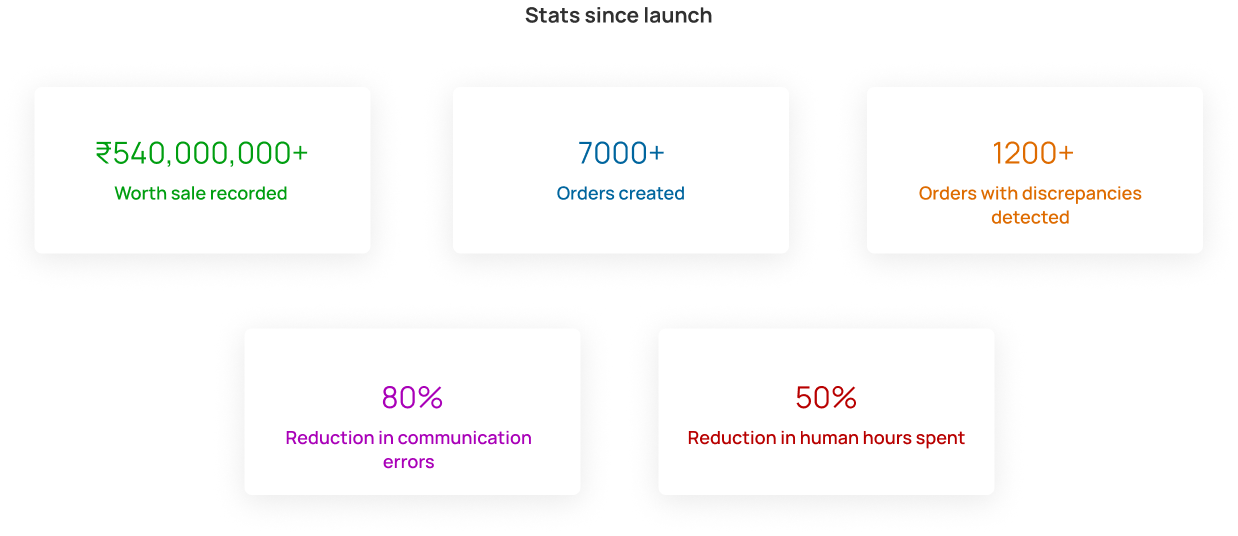
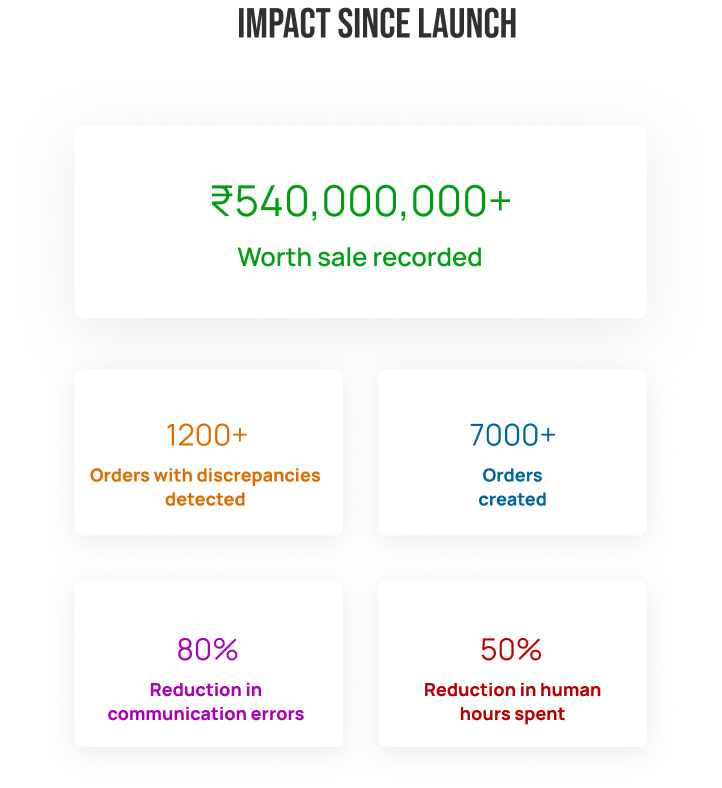
- Krupa NMS, the ERP system developed for Krupa Florals, went live in April 2021 and has since been used daily by Krupa Florals and their sister firms. The system has been successful in improving efficiency and reducing monetary losses by digitizing and streamlining the ERP process.

CloudClima (cloudclima)
- slug
- cloudclima
- title
- CloudClima
- subtitle
- Product Design & Development
- data
- Affordable and easy to use, cloud-based remote climate monitoring and climate control application for protected cultivation.
- scope
- Design and development of mobile application and hardware system.
- team
- 5
- role
- Team Leader
- problem1
- Despite employing 43% of India's workforce, the agriculture sector contributes only 16% to the country's economy. the sector lacks productivity and efficiency.
- problem2
- This is especially true for protected cultivation, where monitoring and maintaining optimal climate is paramount to success. Proper climate management is crucial for crop health and yield, but without access to monitoring and automation technology, farmers face significant challenges in enhancing their productivity and profitability
- problem3
- As a result, there is an urgent need to bridge the technological gap in the agricultural sector and provide greater support to small-scale farmers, who are the backbone of India's rural economy.
- res1
- We conducted interviews with 23 farmers to identify the challenges they face when it comes to adopting climate control automation systems that are already available in the market. By directly engaging with the farmers, we sought to gain insights into the specific difficulties they encounter. These interviews provided valuable information regarding the barriers and obstacles hindering the widespread adoption of automation technologies in the agricultural sector.
- res2
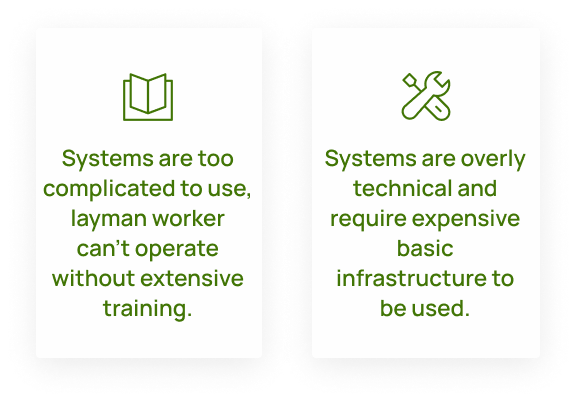
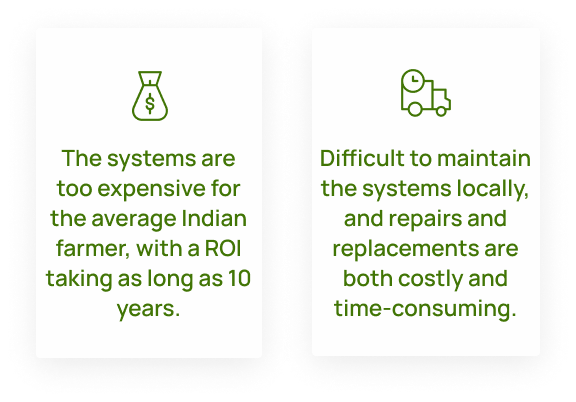
- Four key insights were -
- soln1
- After conducting several brainstorming sessions, our team identified key issues and subsequently narrowed down our focus to the most critical aspects for the minimum viable product (MVP). This selection process involved careful consideration of various factors to ensure that the MVP addresses the most crucial and pressing needs. By prioritizing these critical aspects, we aim to deliver an effective and impactful solution that meets the immediate requirements of our target users.
- soln2
- By focusing on these points, we hope to develop targeted solutions that address the unique challenges faced by these farmers and improve their livelihoods.
- oprn1
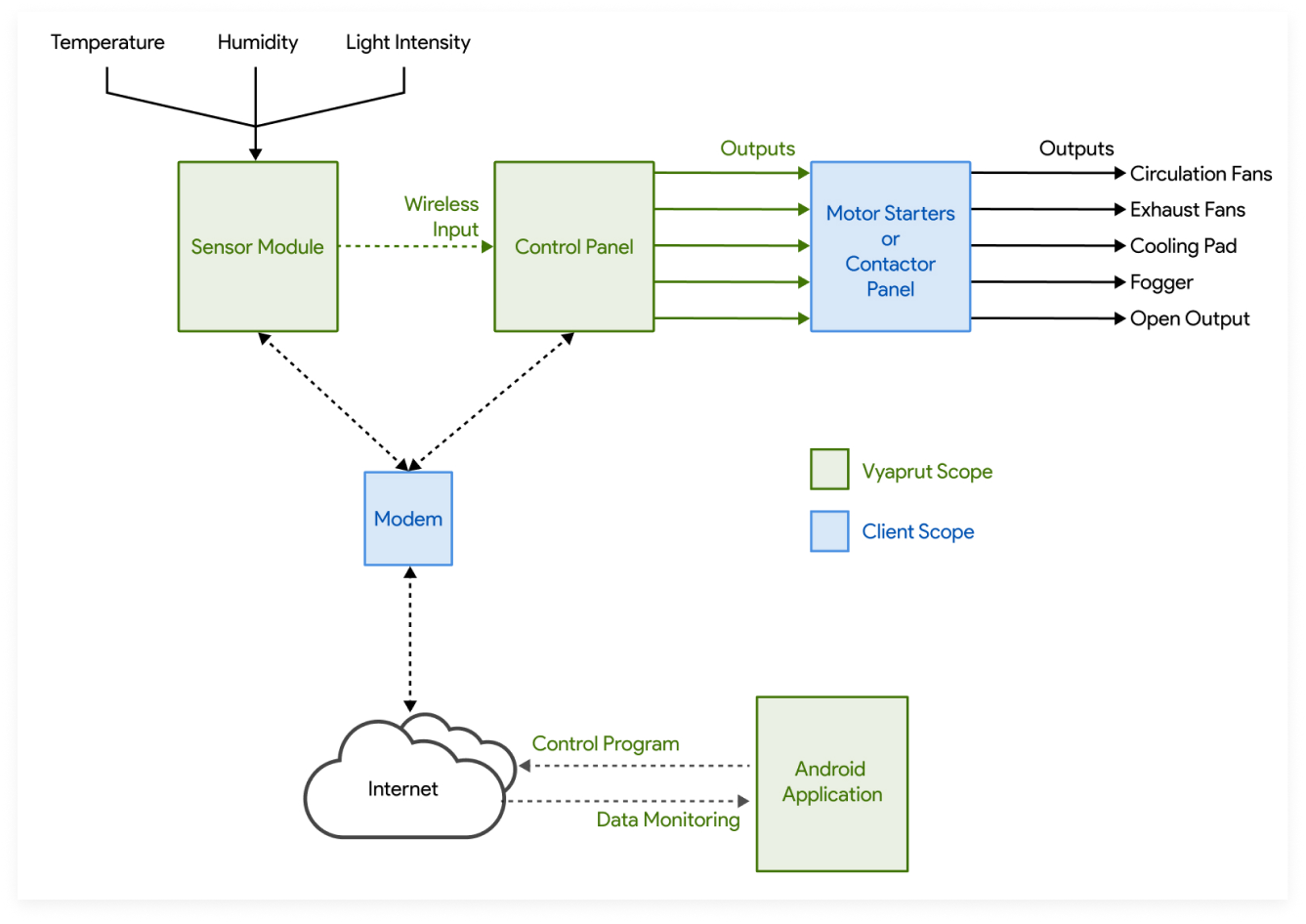
- A visual representation that outlines the operational workflow of the application & machine
- wfame1
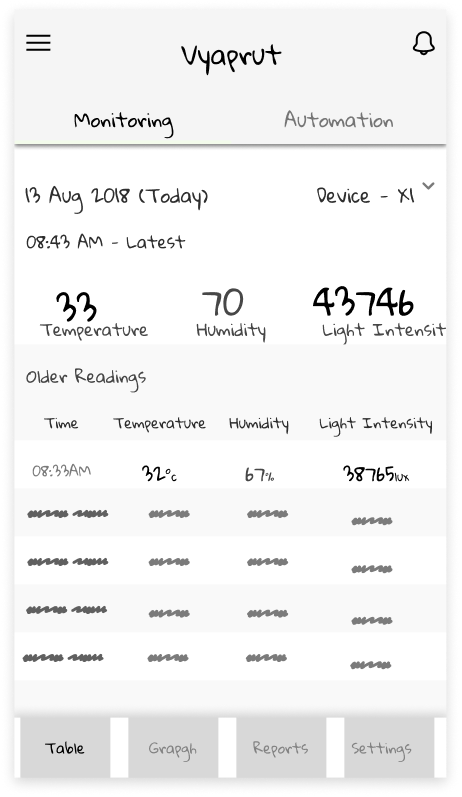
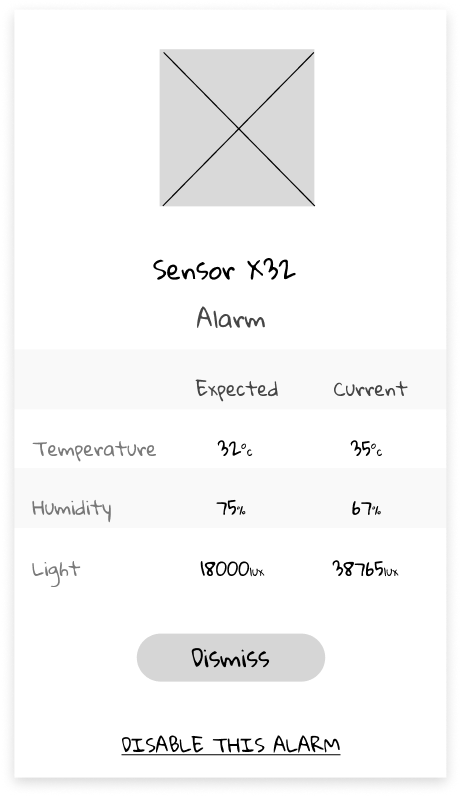
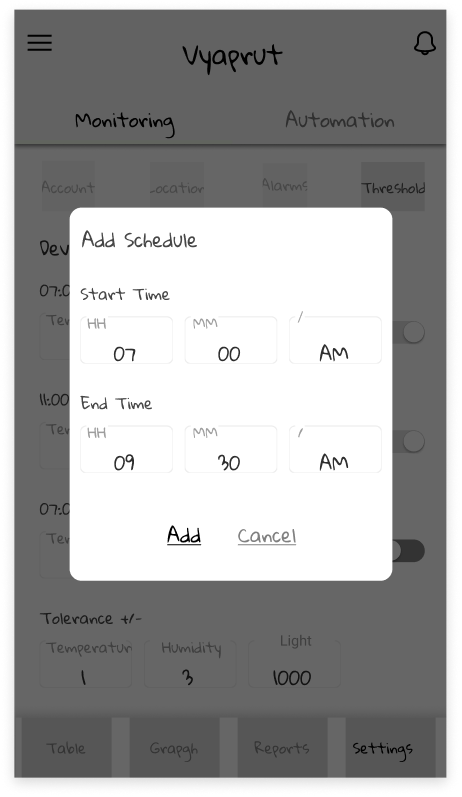
- After finalizing the user flows, our team proceeded to the next phase of the design process by creating wireframes for the mobile application.
- wfame2
- Through the creation of preliminary designs, we were able to envision the user experience in a concrete manner and embark on the process of determining the optimal means of achieving our goals. By exploring different layouts and configurations, we experimented with various design options to pinpoint the most effective approach.
- wfame3
- This iterative process allowed us to refine our ideas and ensure that the final product provides an intuitive and engaging user experience that meets the unique needs of Indian farmers.
- mockup1
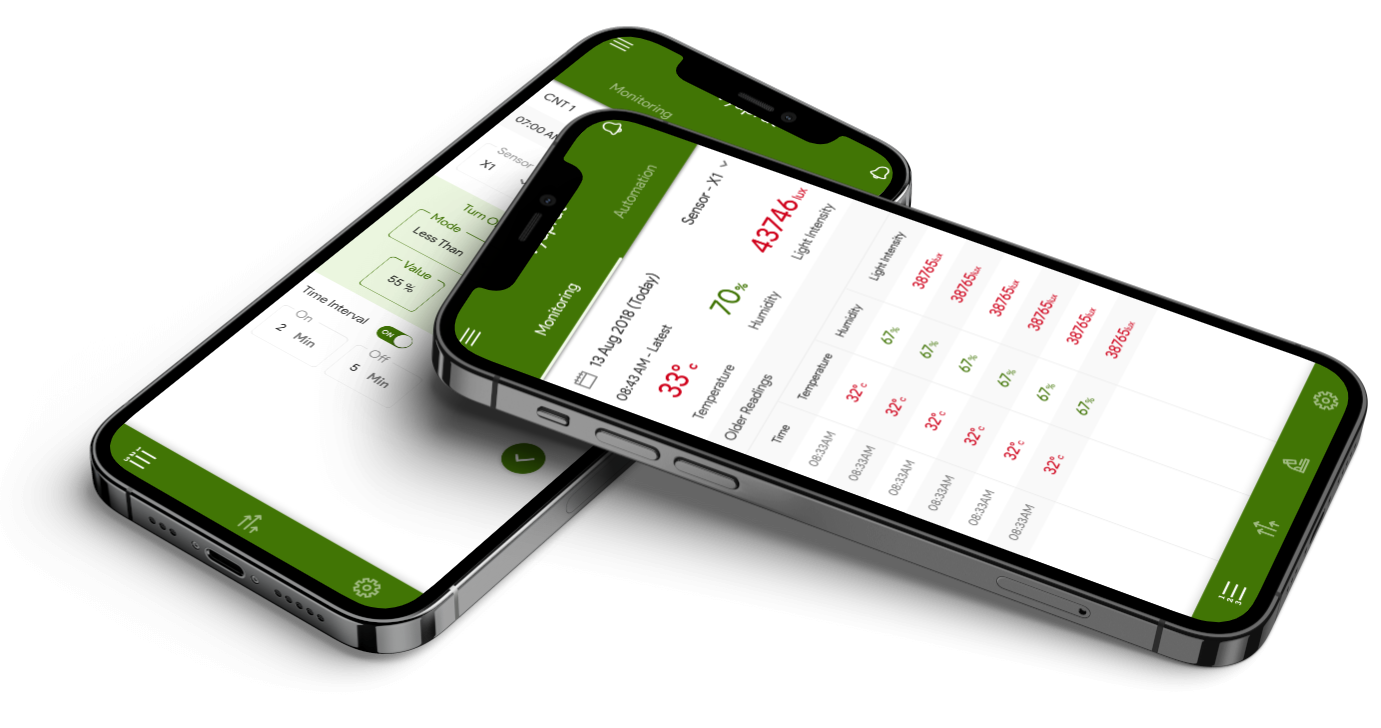
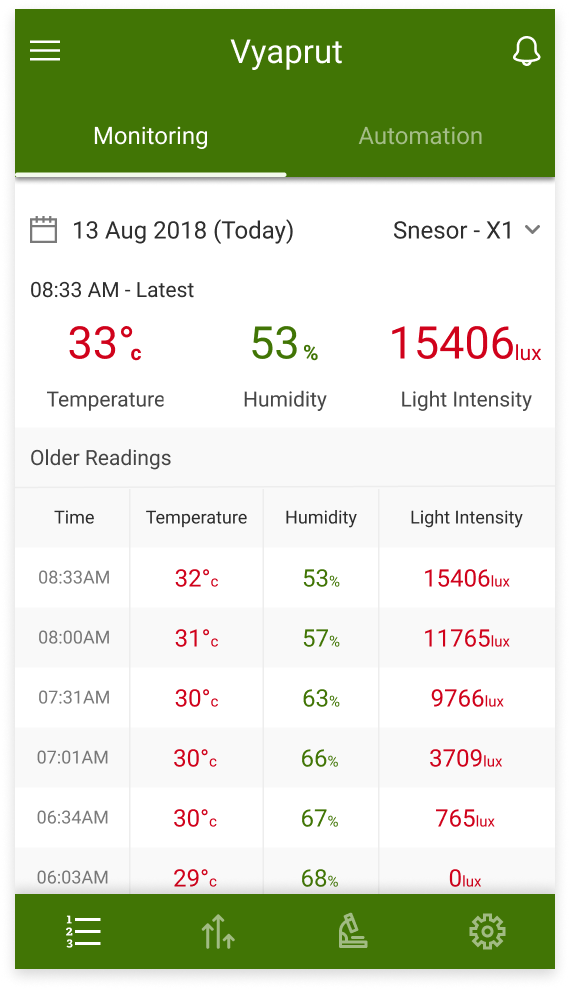
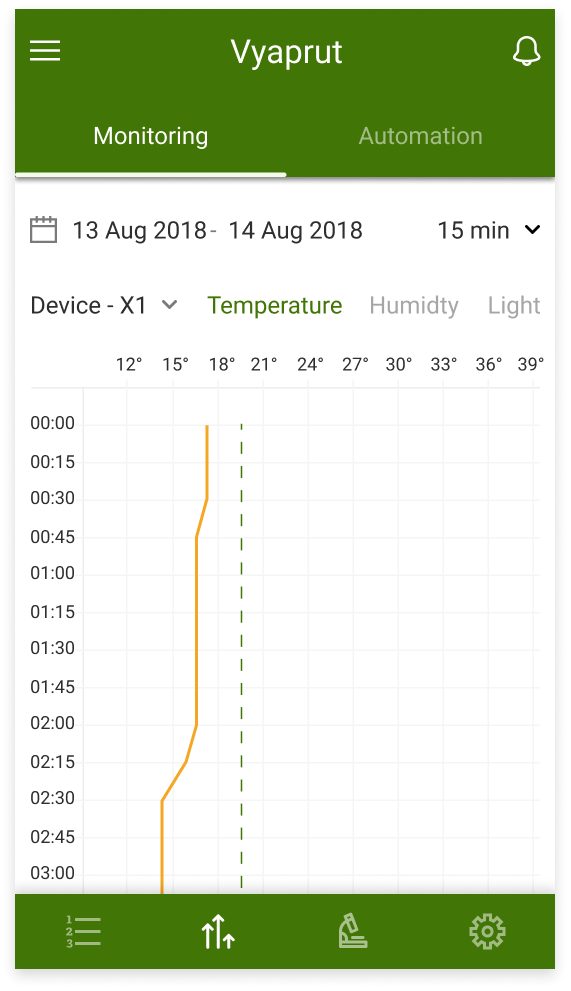
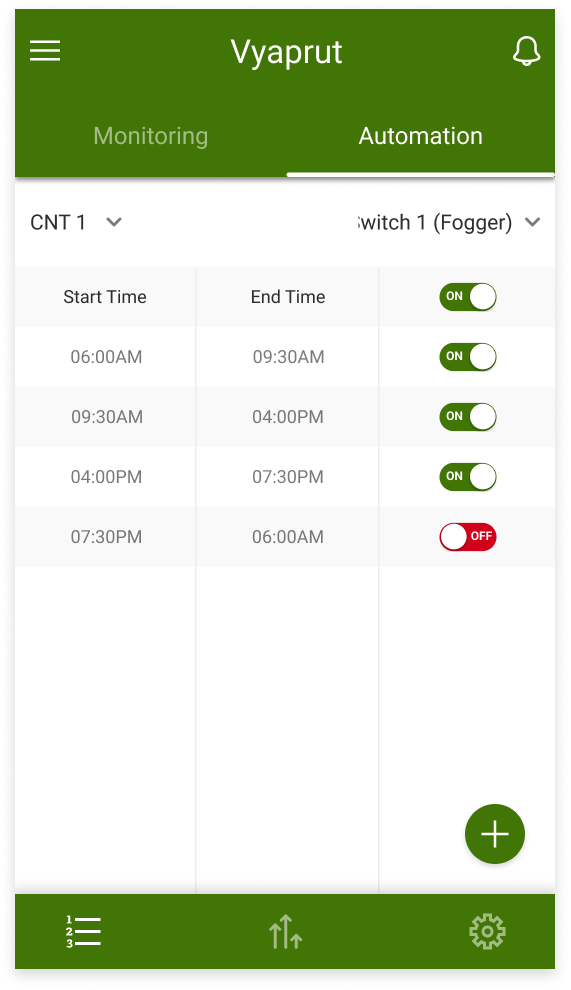
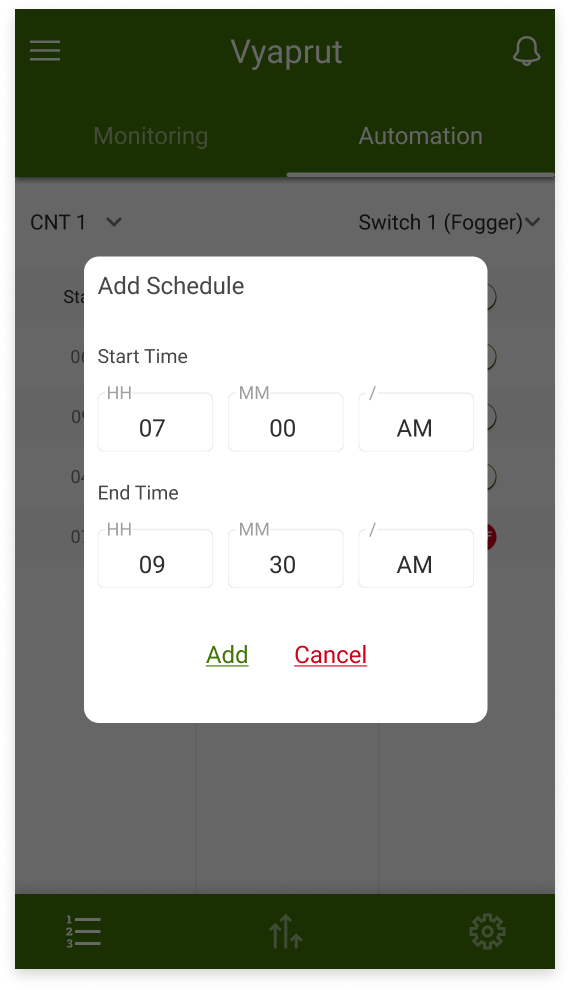
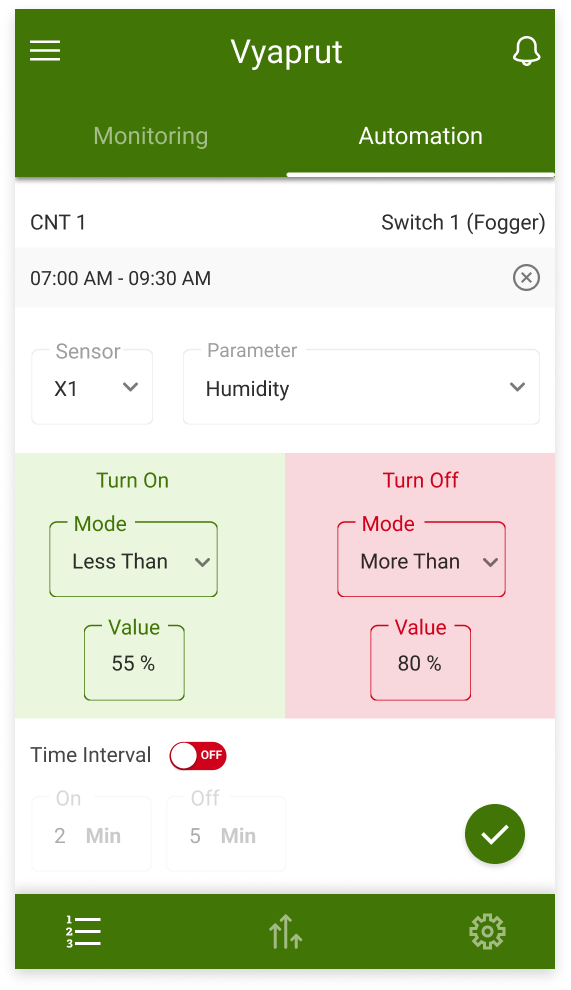
- After finalizing the wireframe blueprints with input from all relevant stakeholders, we proceeded to create high-fidelity mockups of the app.
- mockup2
- These mockups provided a more detailed representation of the app's interface and functionality, allowing us to visualize the final product more accurately. By incorporating feedback from users and testing the mockups rigorously, we were able to refine the app's design and ensure that it meets the needs of farmers in rural India.
- mockup3
- The mockups also enabled us to demonstrate the app's features and capabilities to potential users and stakeholders, fostering a deeper understanding and appreciation of the product's value.
- hwdev1
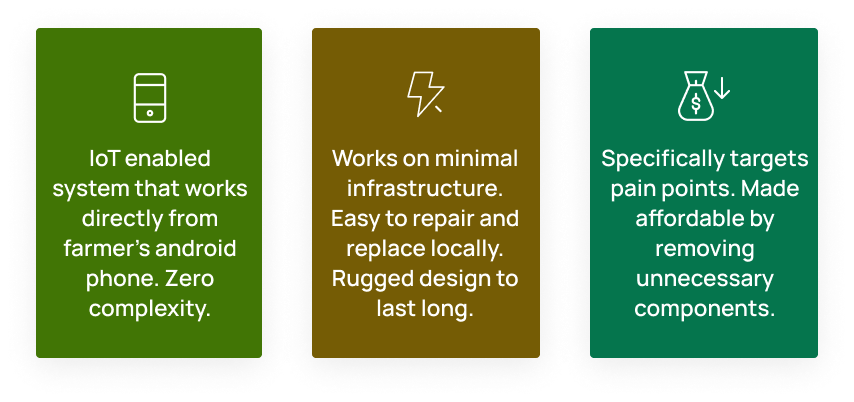
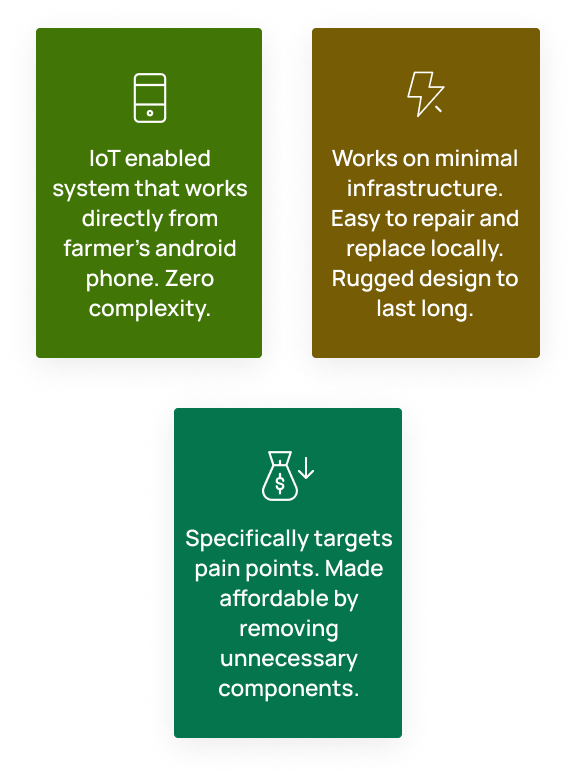
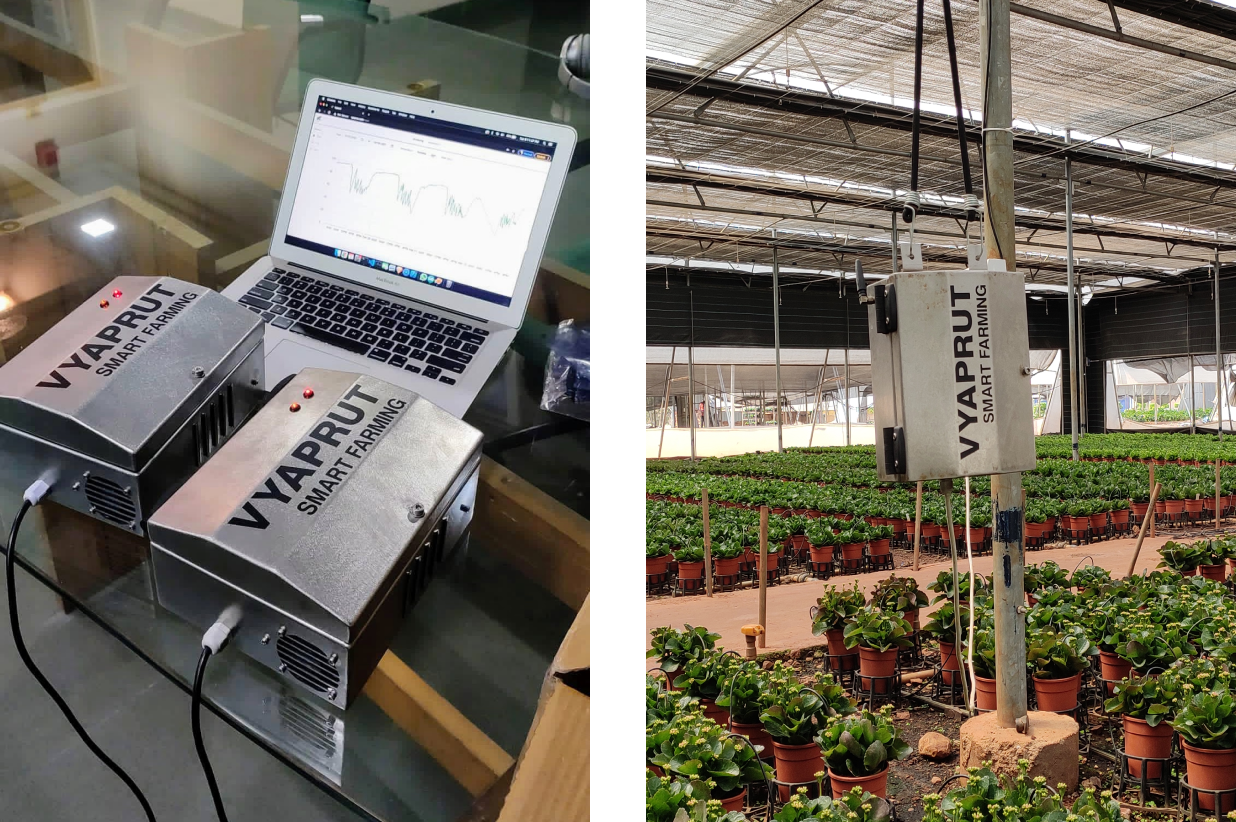
- As we worked on our software, we also tackled the challenge of designing rugged hardware that could withstand the harsh conditions of the farm environment.
- hwdev2
- Our biggest obstacle was creating a unit that could endure rough handling and exposure to various climatic conditions. We knew that durability was paramount, and we ensured that our unit was built to last in even the most adverse conditions.
- hwdev3
- Through careful material selection and a robust design, we were able to create a product that was not only tough but also reliable in the field.
- status1
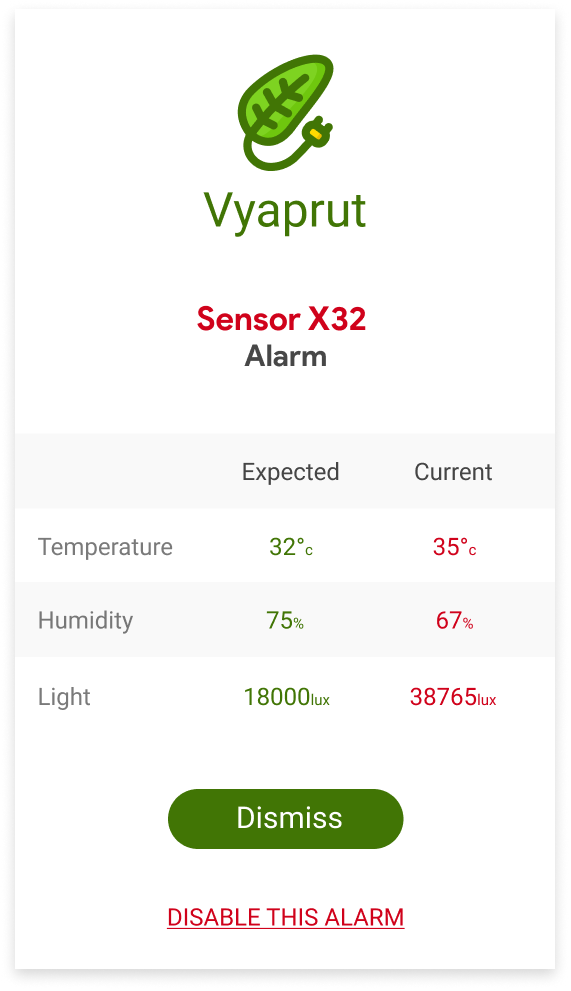
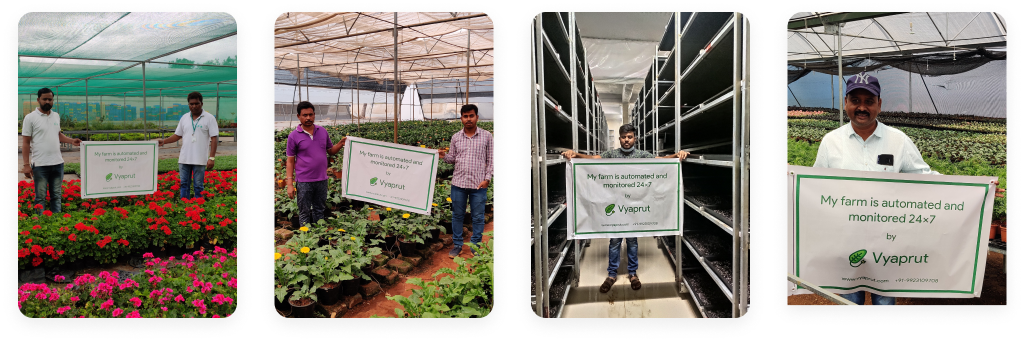
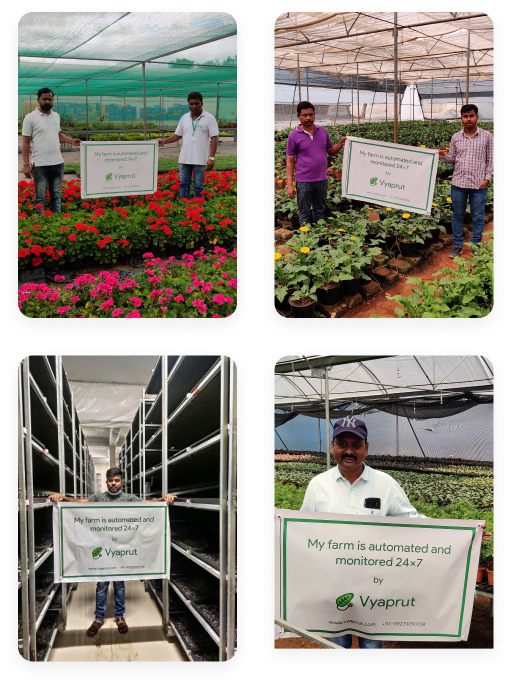
- In December 2020, Vyaprut entered the market with an affordable, cloud-based climate control and monitoring system that has already empowered more than 300 farmers.
- status2
- By utilizing our system, farmers have been able to improve their yields while reducing their labor expenses, leading to increased profitability.
- status3
- Currently, Vyaprut is monitoring and automating over 1500 acres of greenhouses across India, helping farmers to achieve greater success and sustainability.